
Plan your
astrophotography nights
Astralis tells you what to shoot tonight, how long to expose and when — based on your gear, your site, your sky and the Moon. A free PWA, built as a field tool.
The best targets, scored for your night
Astralis evaluates every deep-sky object against your latitude, your Bortle, your setup and the Moon phase, then ranks targets by score. Each card sums up the essentials: type, constellation, peak altitude, transit, magnitude, integration and Moon separation.



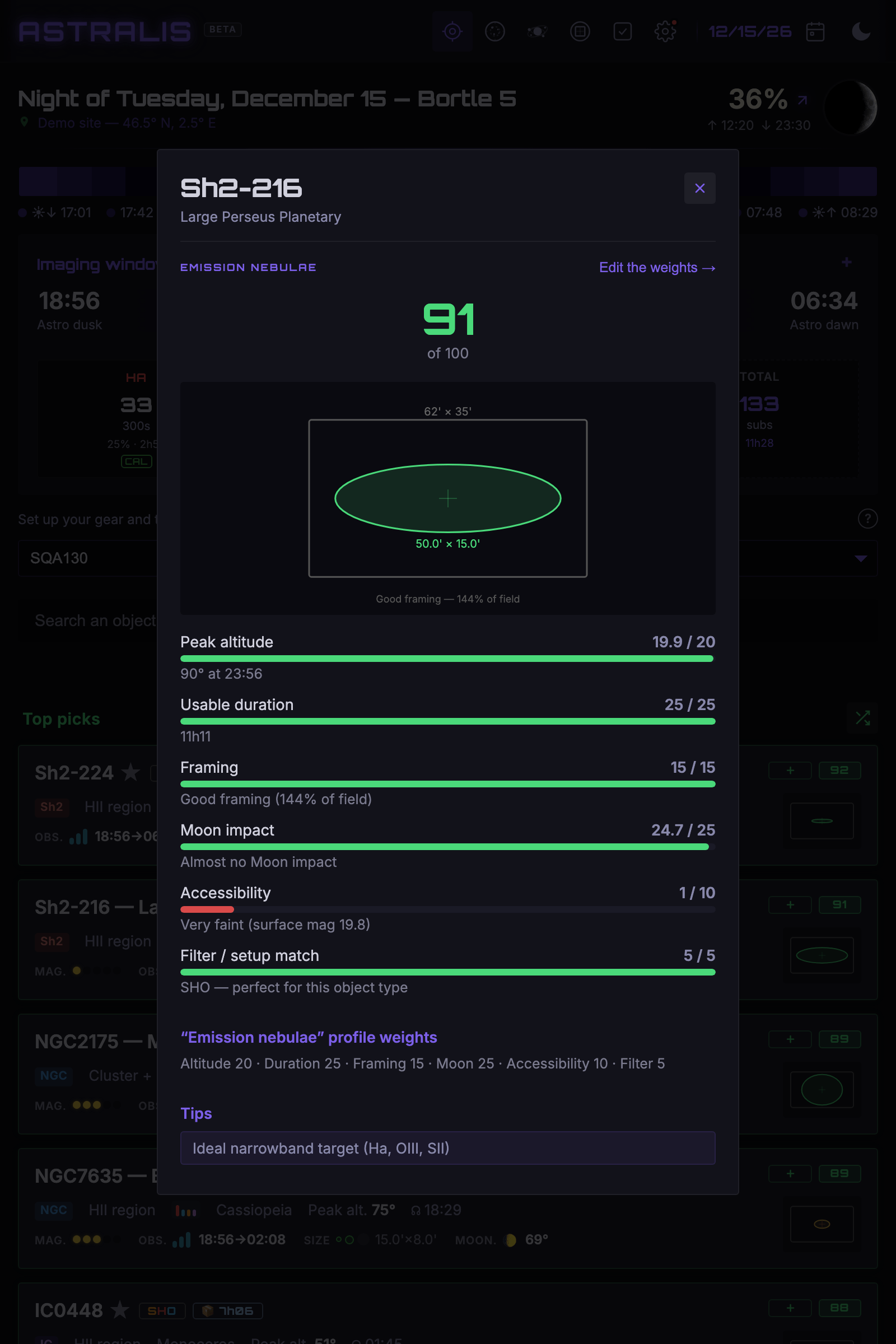
A score out of 100, and above all, why
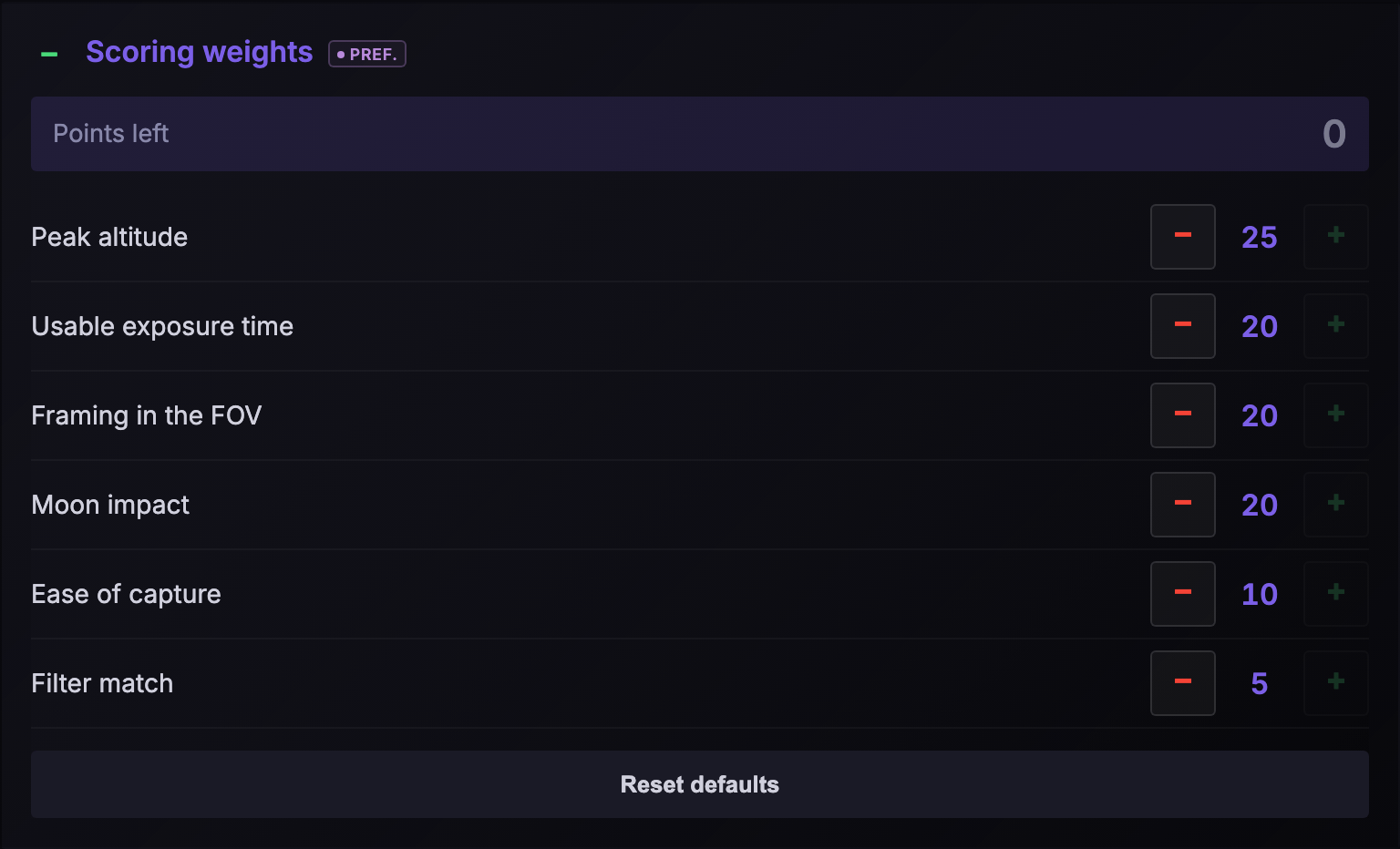
Click a target's score to see its breakdown: peak altitude, usable duration, sensor framing, Moon impact, sky quality and ease of capture. No black box — every criterion is detailed, and the weighting is adjustable.
Click to enlarge
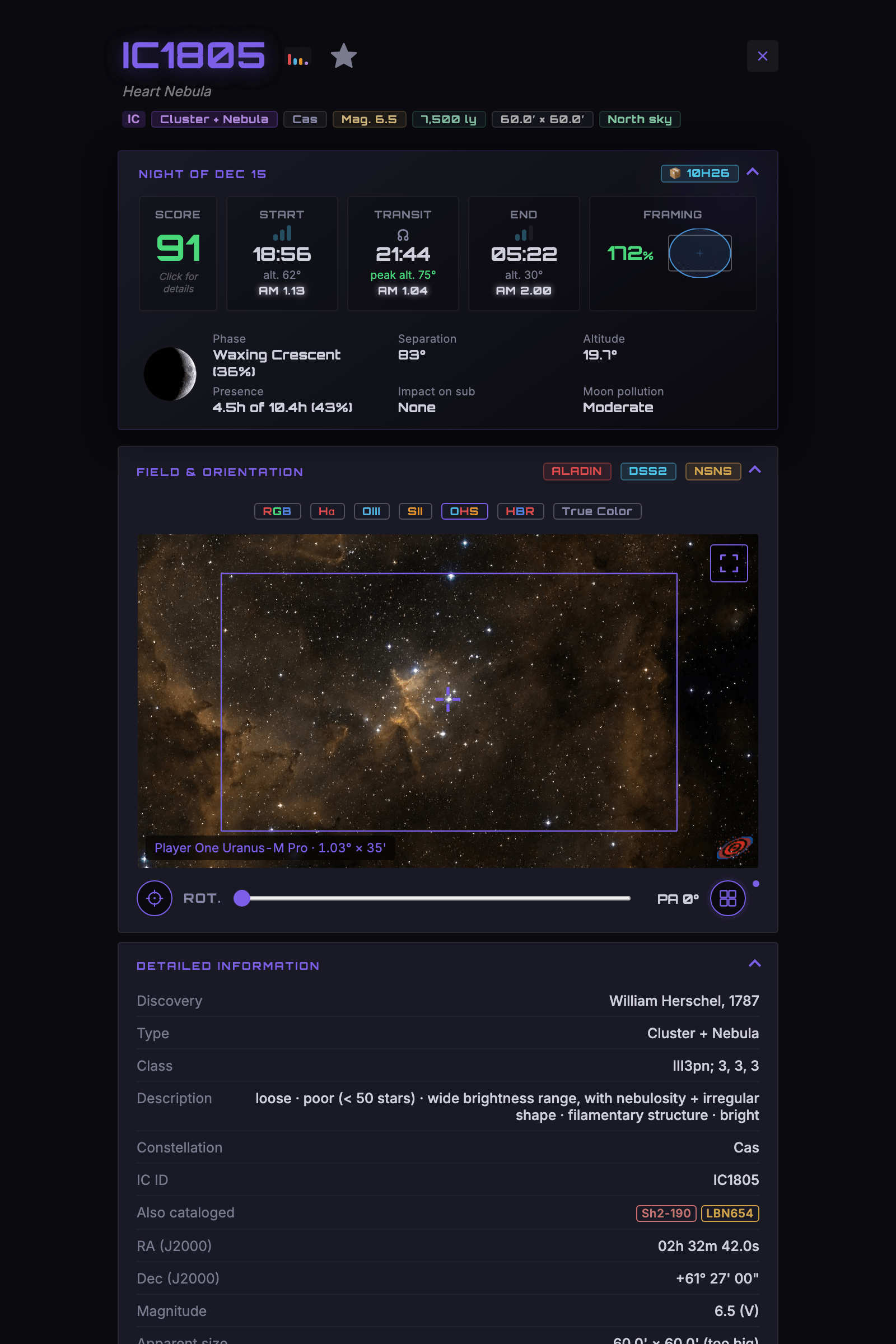
Everything about a target, section by section
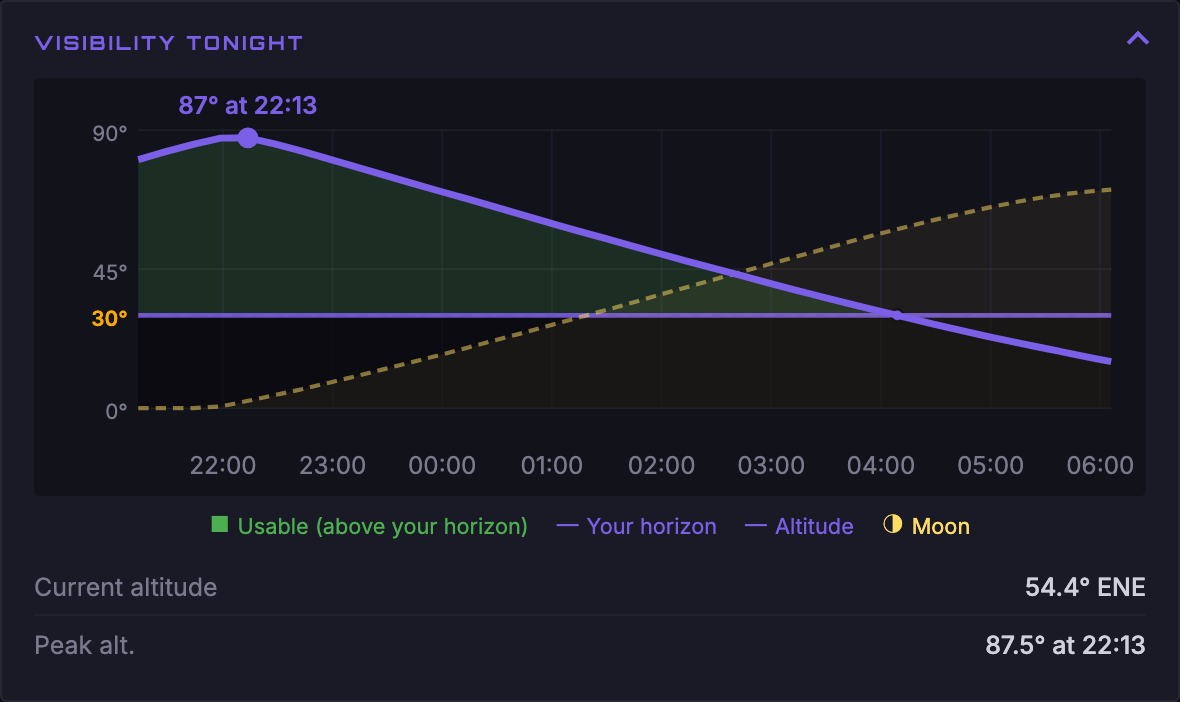
Score and tonight's slots, exposure plan per channel, real field preview (Aladin / DSS), the night's altitude curve, source reliability and detailed object information.
Click to expand all sections
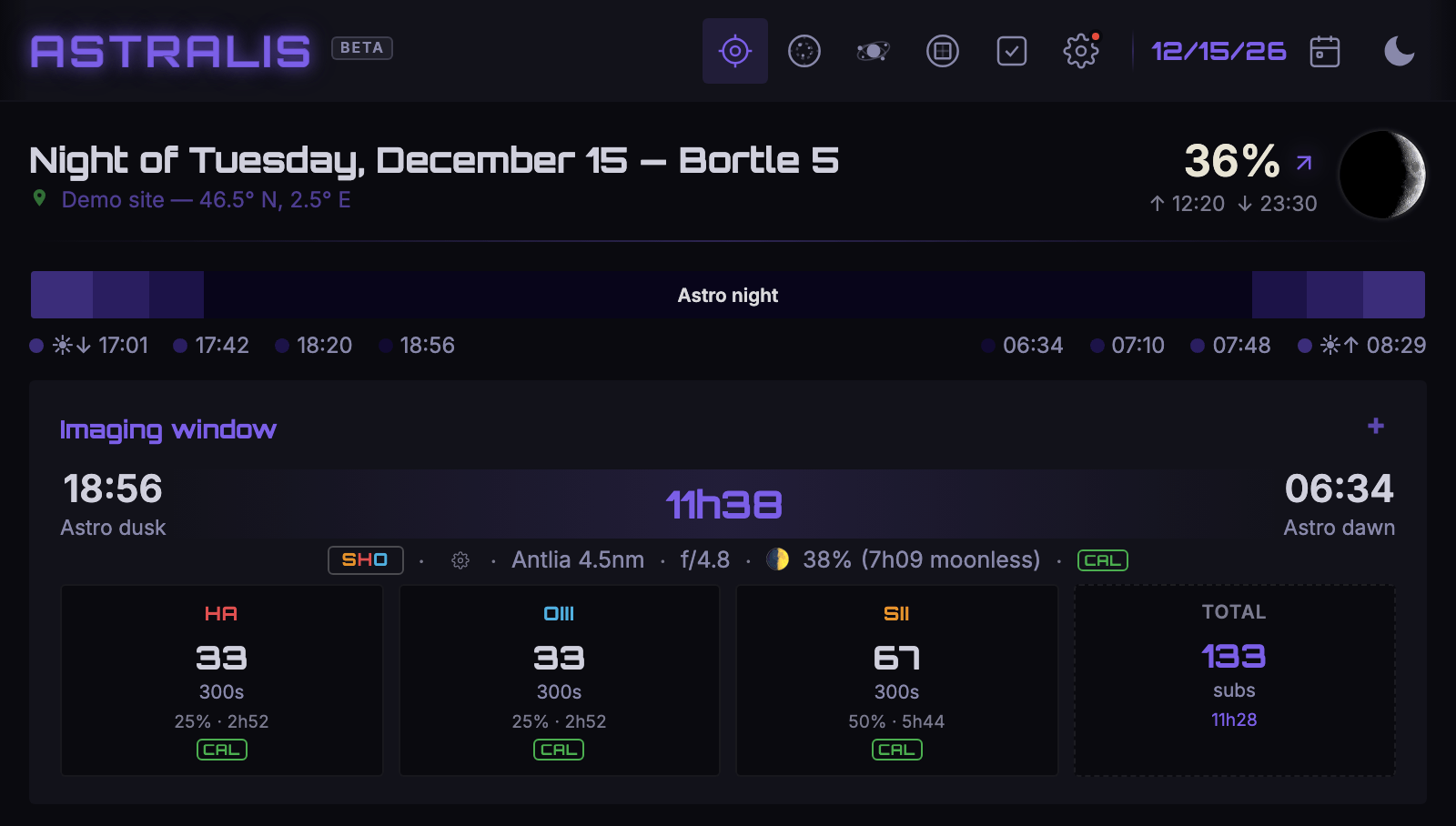
Mono, OSC, narrowband — every workflow in its place
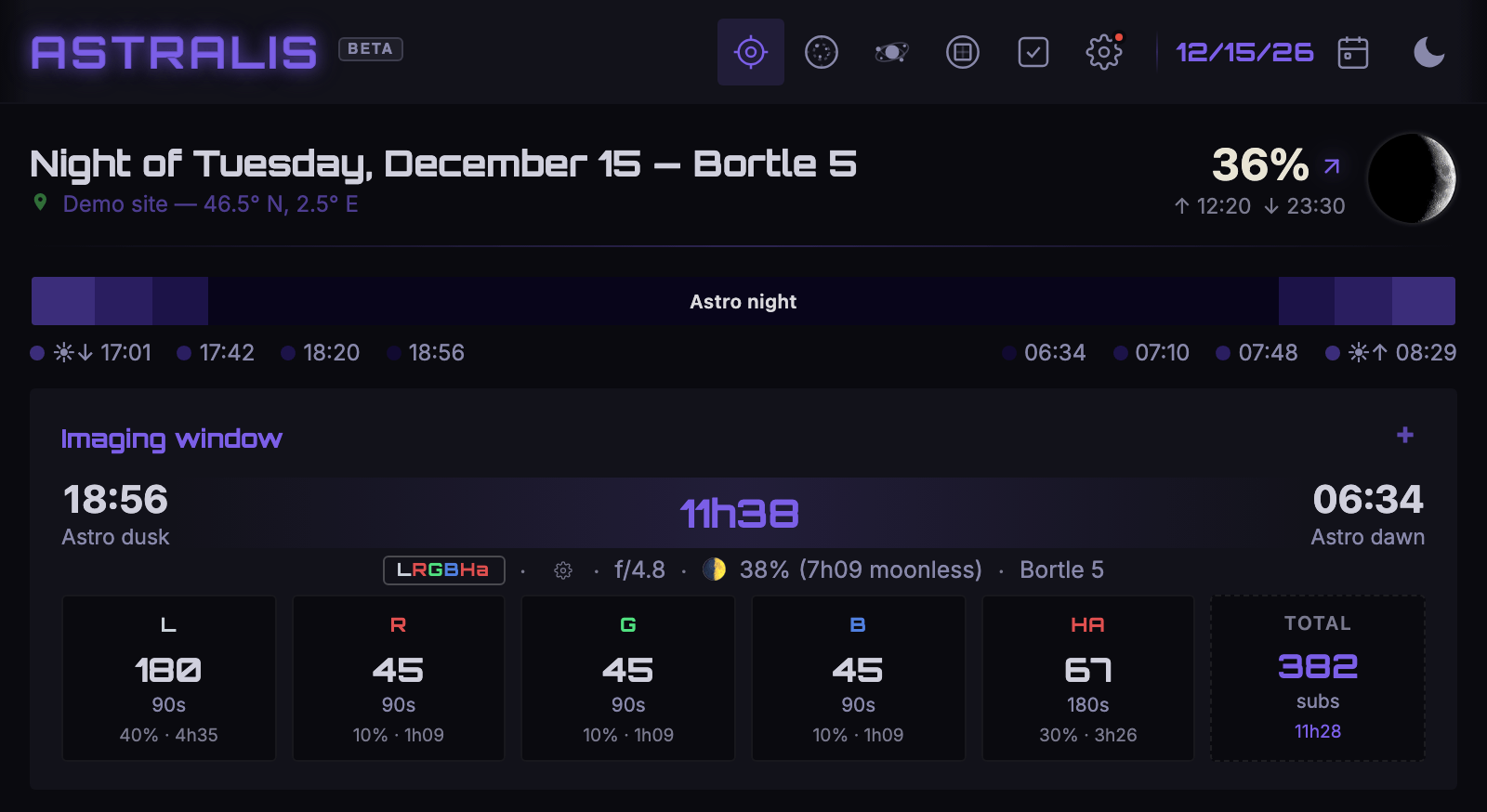
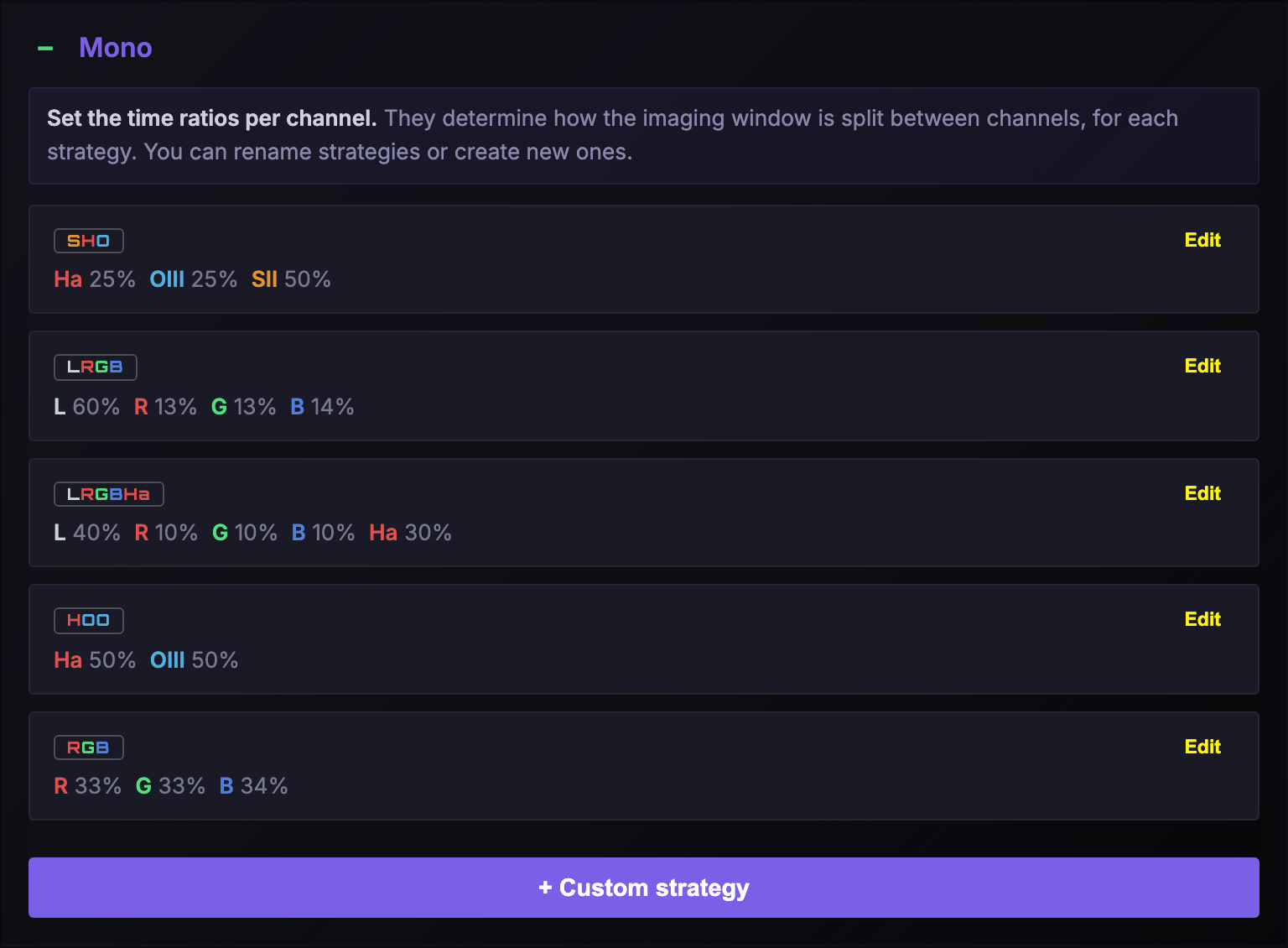
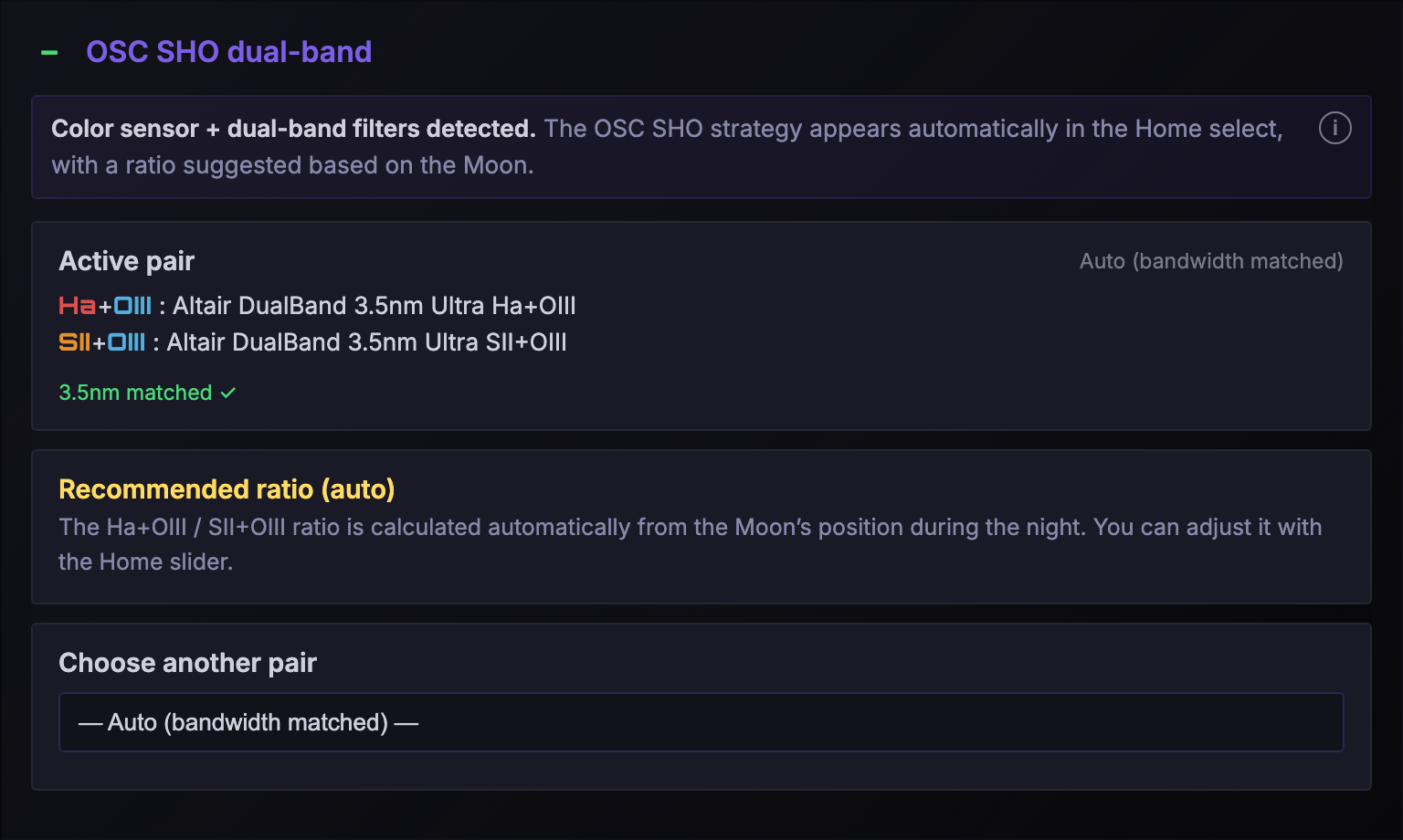
Astralis knows the acquisition strategies and splits time per channel: SHO, HOO, LRGB, LRGBHa in mono, or OSC SHO dual-band. Rename them, create your own, tweak the ratios.
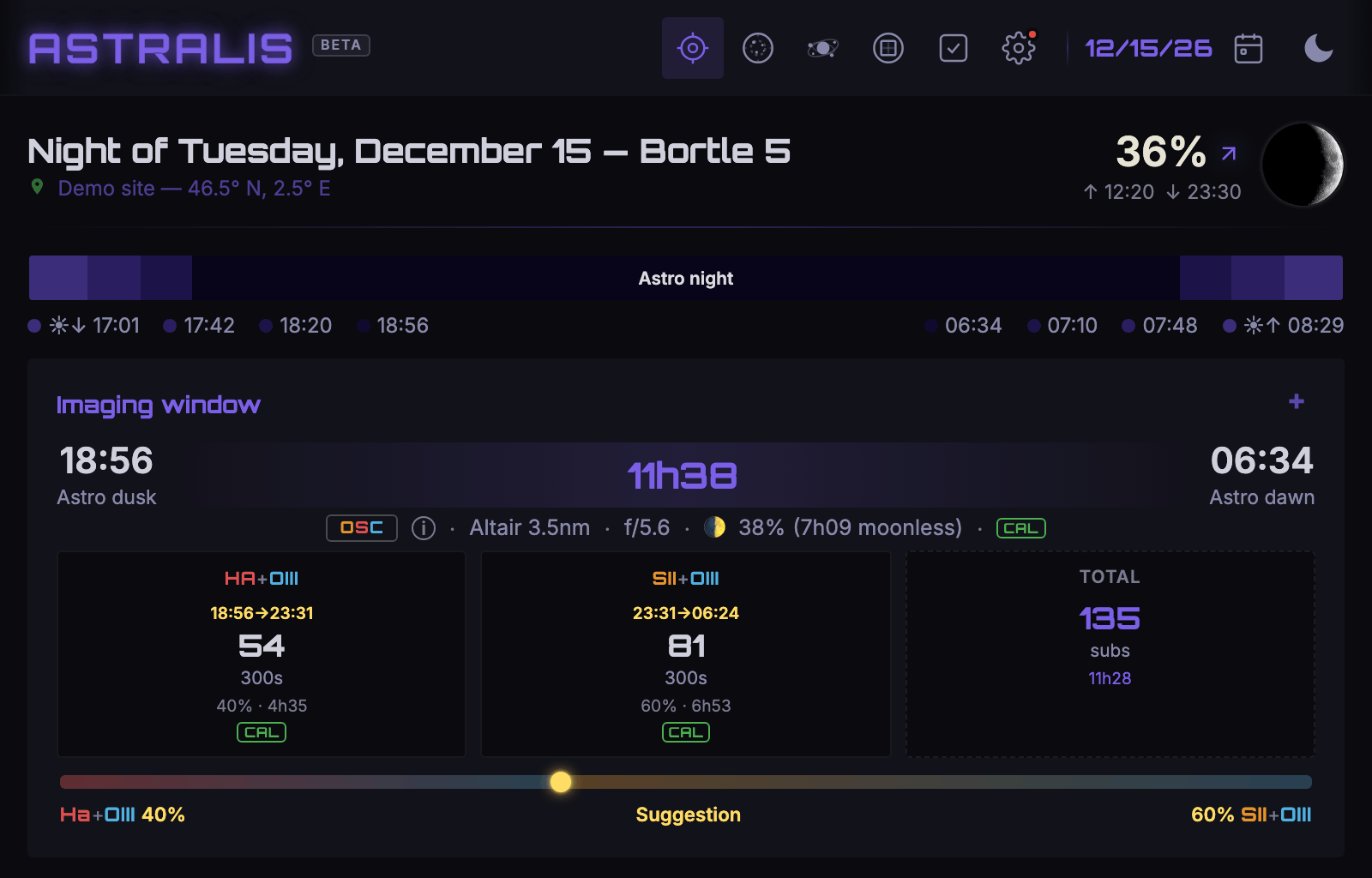
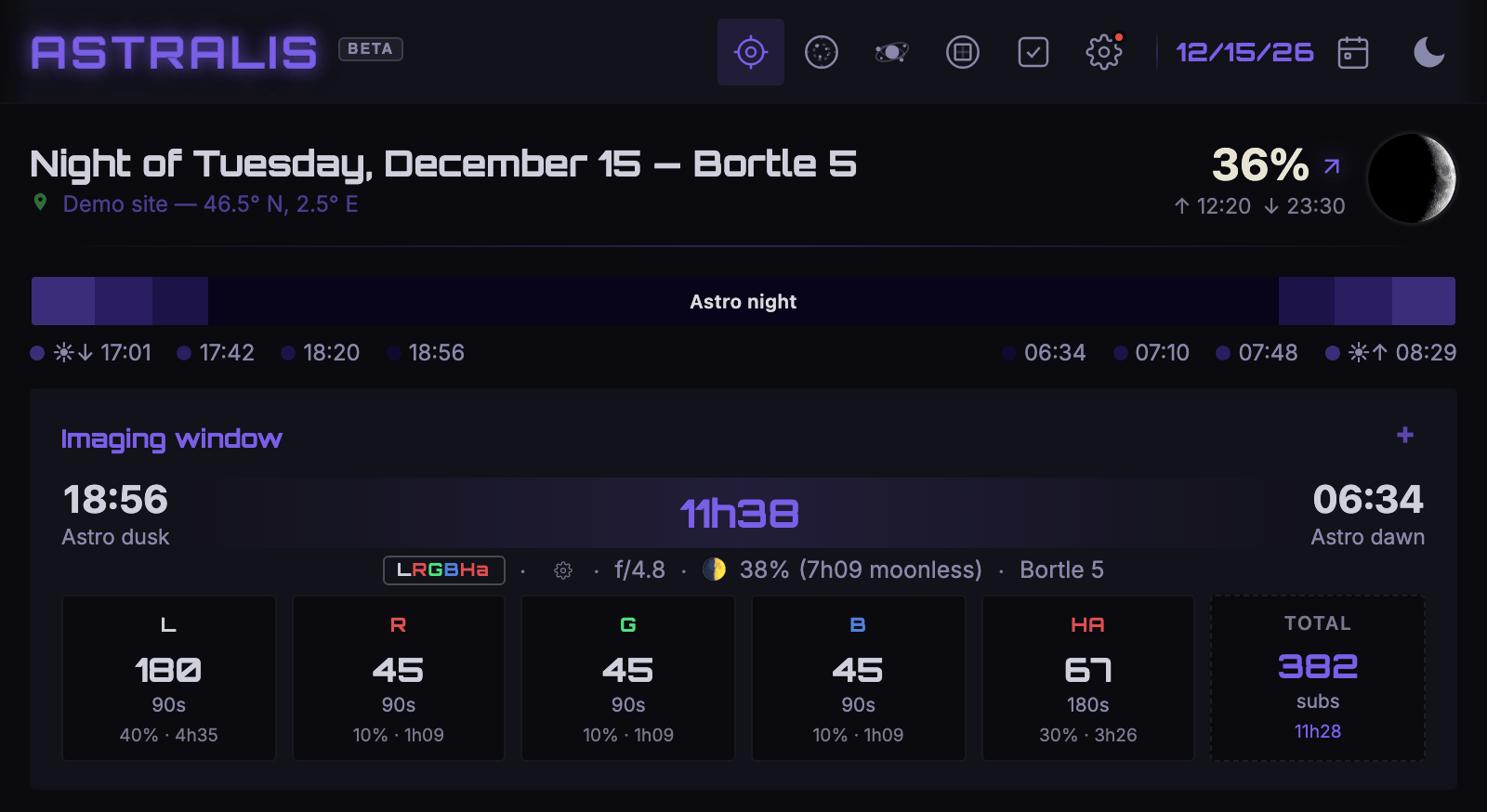
How many subs, and how long
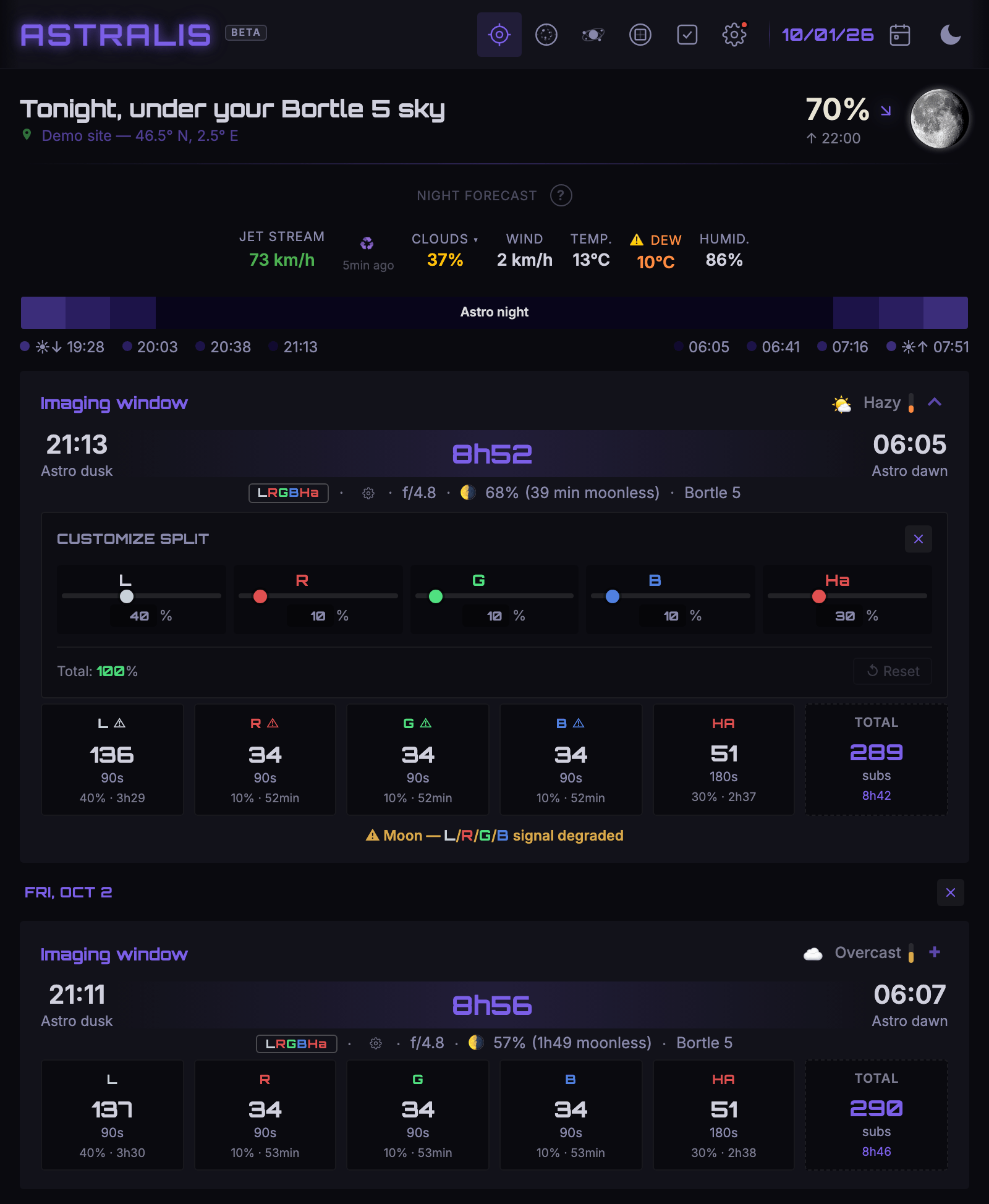
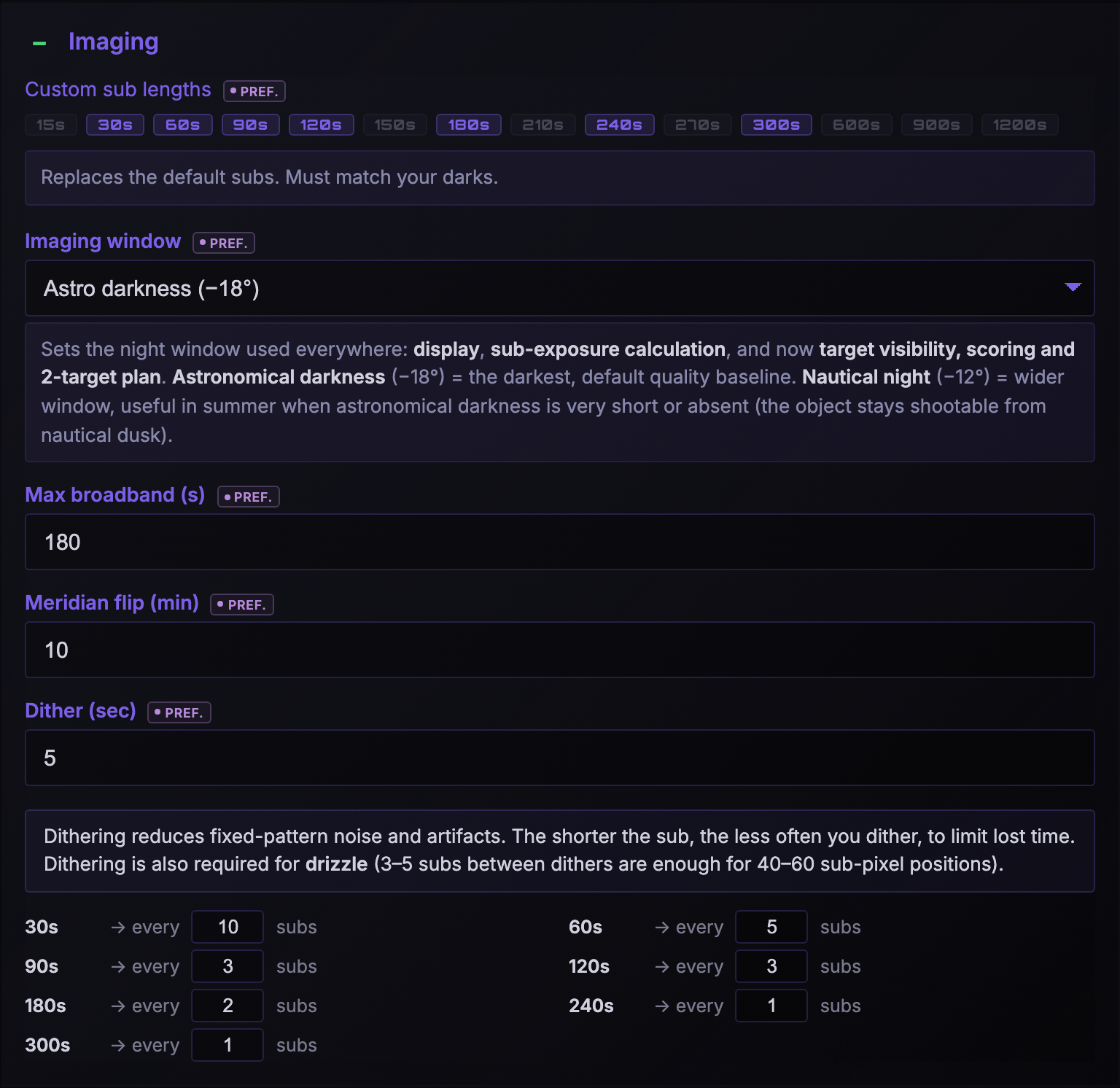
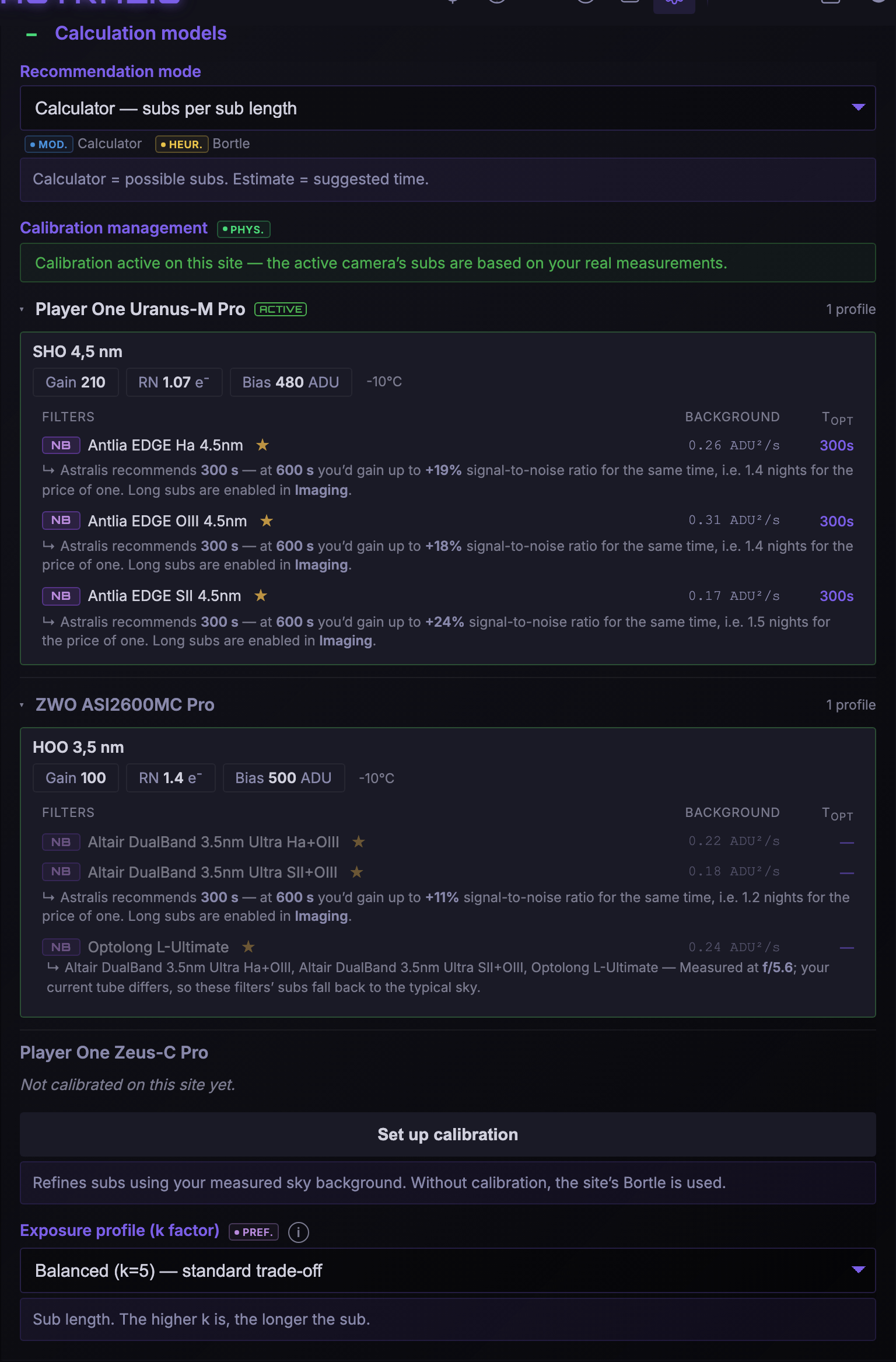
From your sky, your gear and the night's conditions, Astralis calculates the suggested sub lengths per channel and the imaging window (astro dusk → astro dawn). Moon impact model from Krisciunas & Schaefer 1991, refined by Winkler 2022, and sky background calibration.
Click to see the sub details
A real night plan
Two targets in one night, or the same target over several nights — with meridian flips handled.
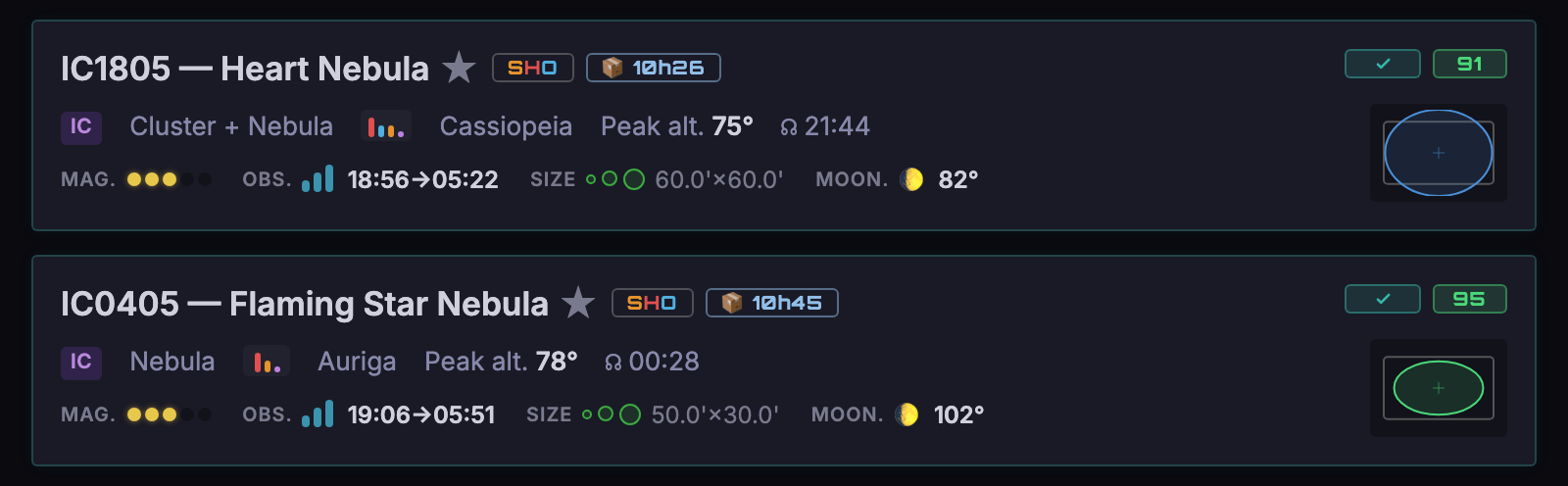
Pin 2 targets
Pick the 2 targets for your night: they move to the top of the list, marked with a ✓.
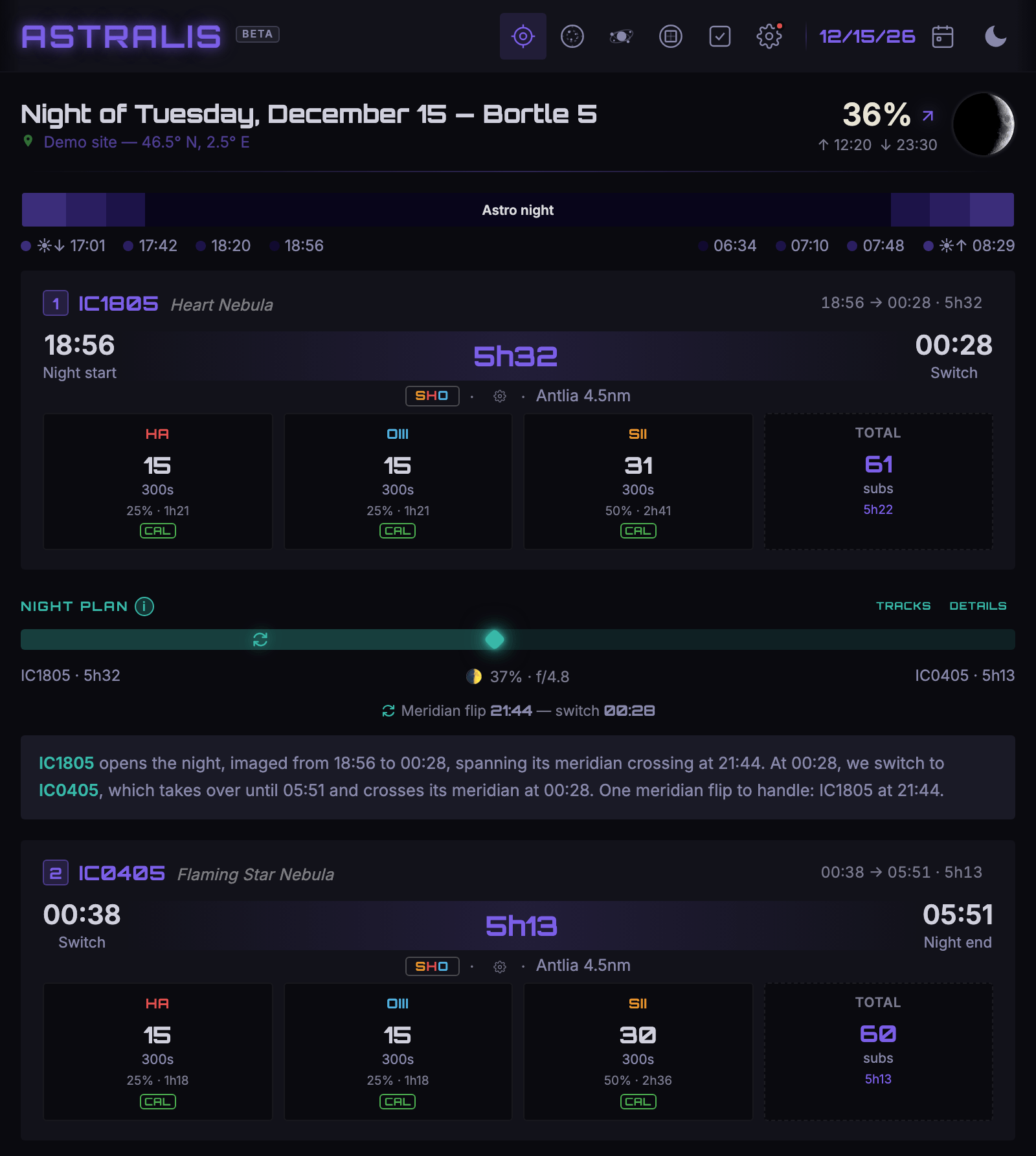
2 targets, 1 night
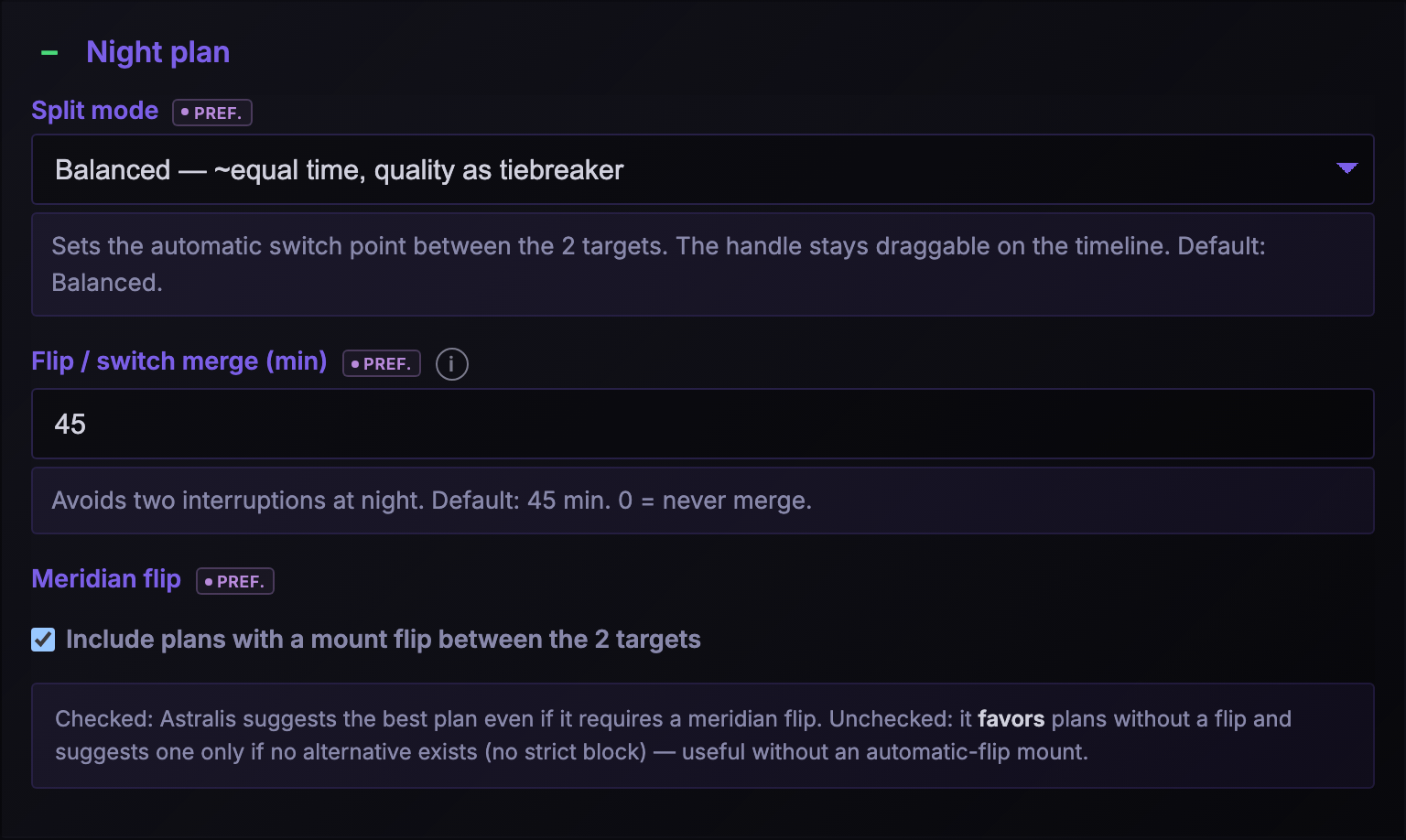
Astralis splits the night, handles the meridian flip and explains the timeline hour by hour.
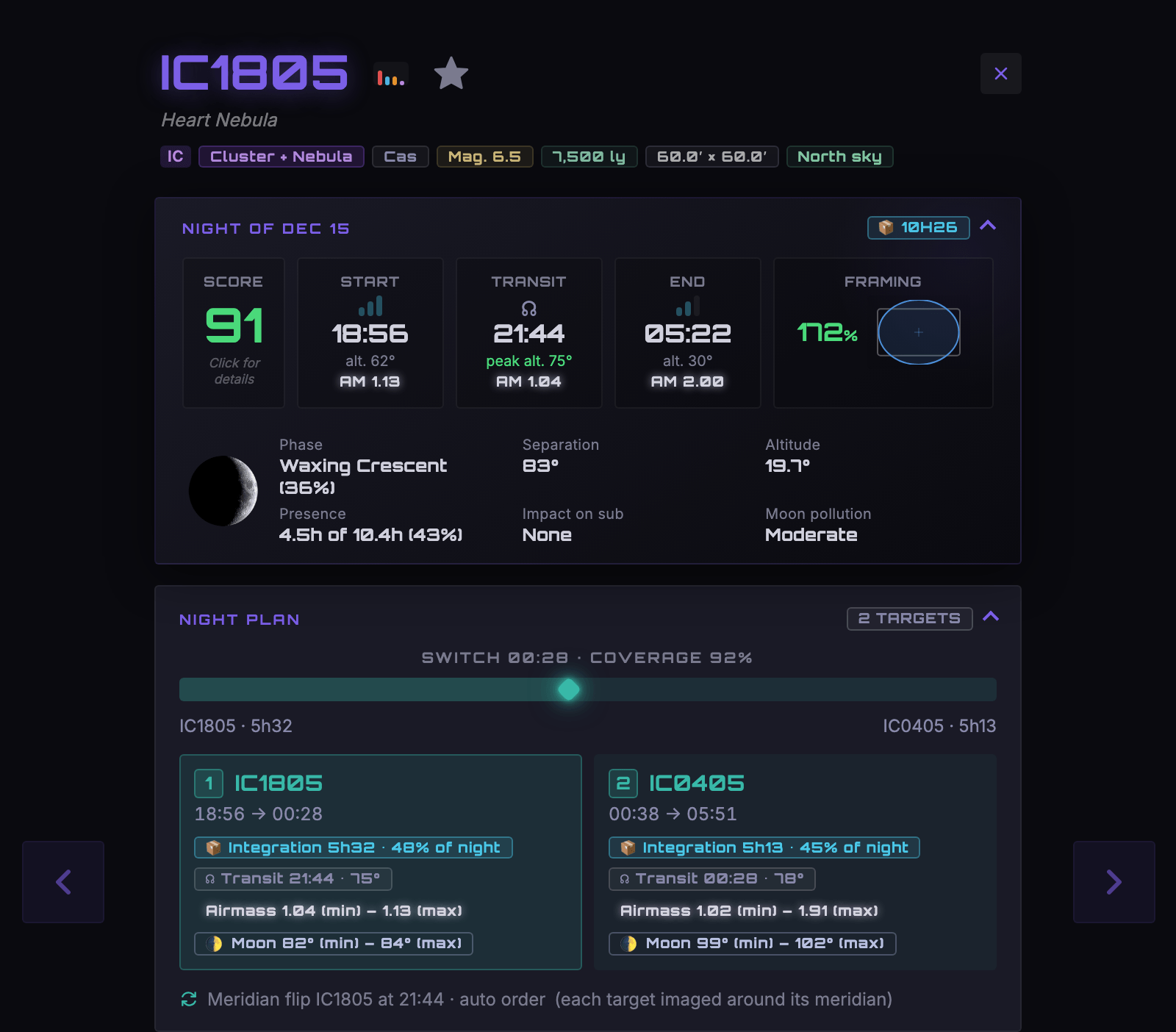
Per-target tracking
Integration, transit, airmass and capture order — detailed for each of the two targets.
A demanding target? Spread it over several nights
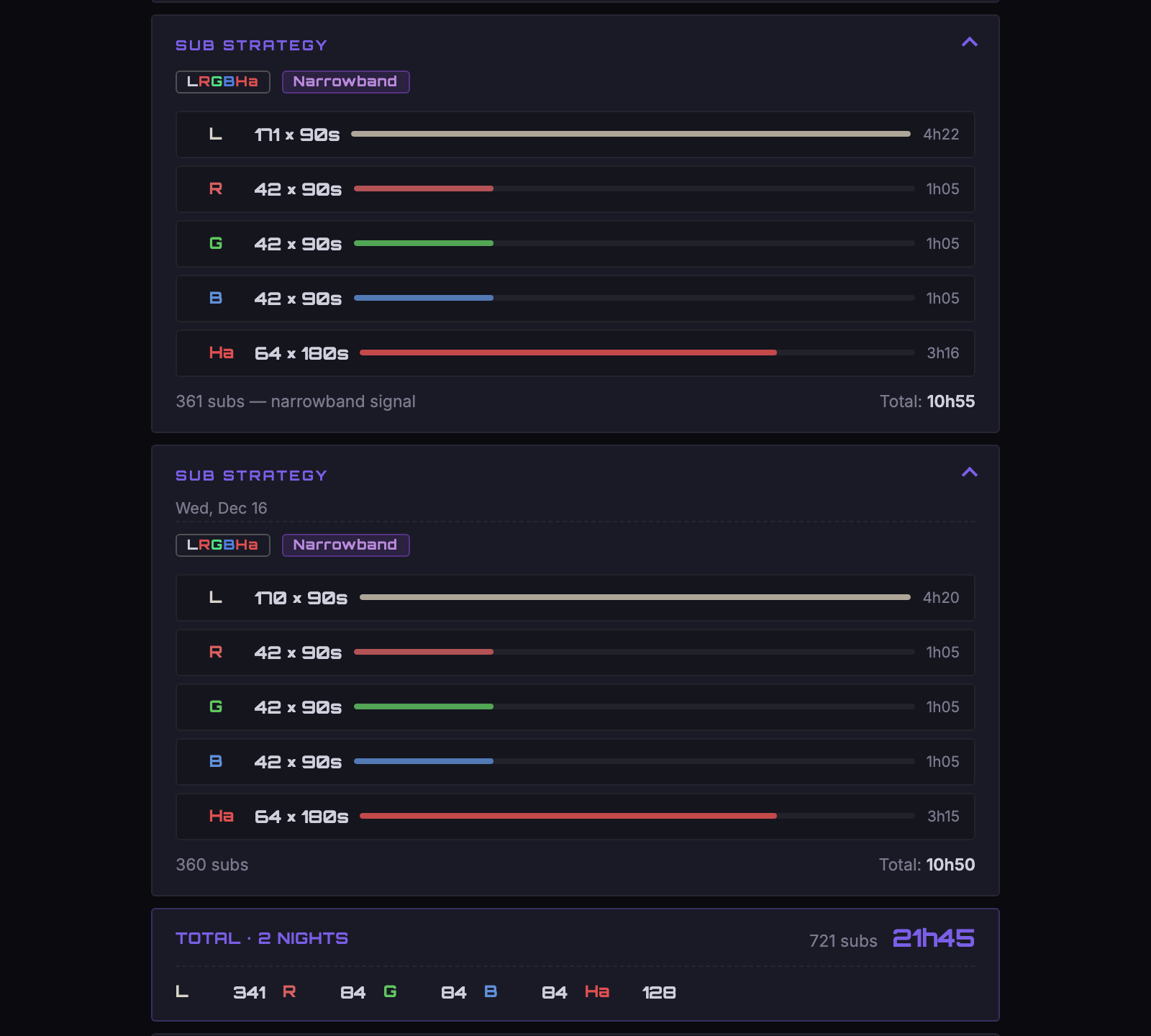
For signal-hungry targets, plan up to 4 nights in a row, for every config (mono, OSC SHO, dual-band). Your integration time adds up, and the detail card gives the sub strategy night by night, with the running total per filter.
Click to enlarge
Target bigger than your field? Build a grid
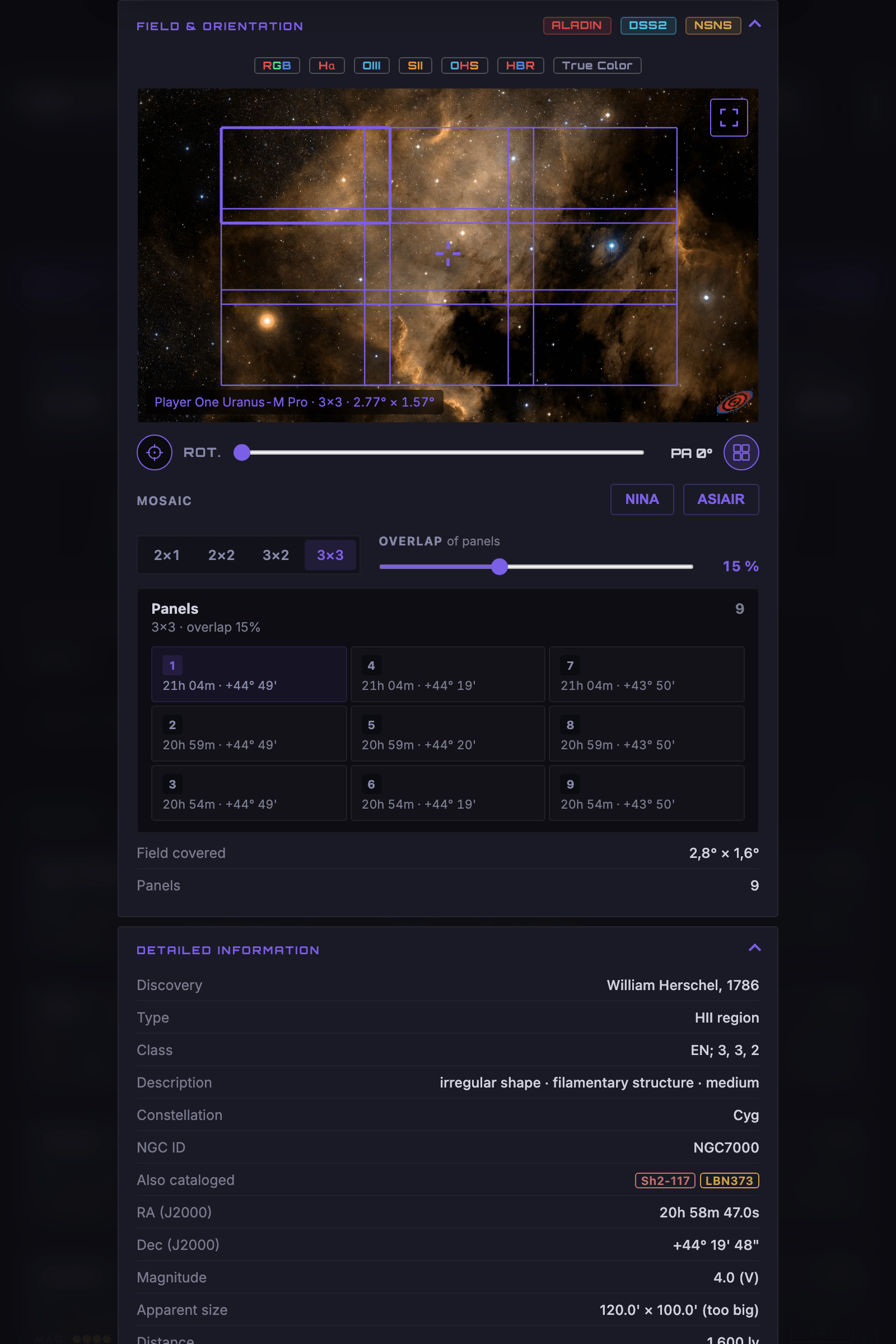
NGC 7000, the Rosette, the Veil: some targets don't fit on one sensor. Build a grid of 2 to 9 panels straight from the detail card — Astralis suggests the smallest one that covers the object, and you stay in control.
The overlap is adjustable (it's what prevents seams when stitching), the panels are drawn on the map, and the list gives each panel's coordinates in the order you'll shoot them.
Click to see the grid enlarged
Your night, written to a file
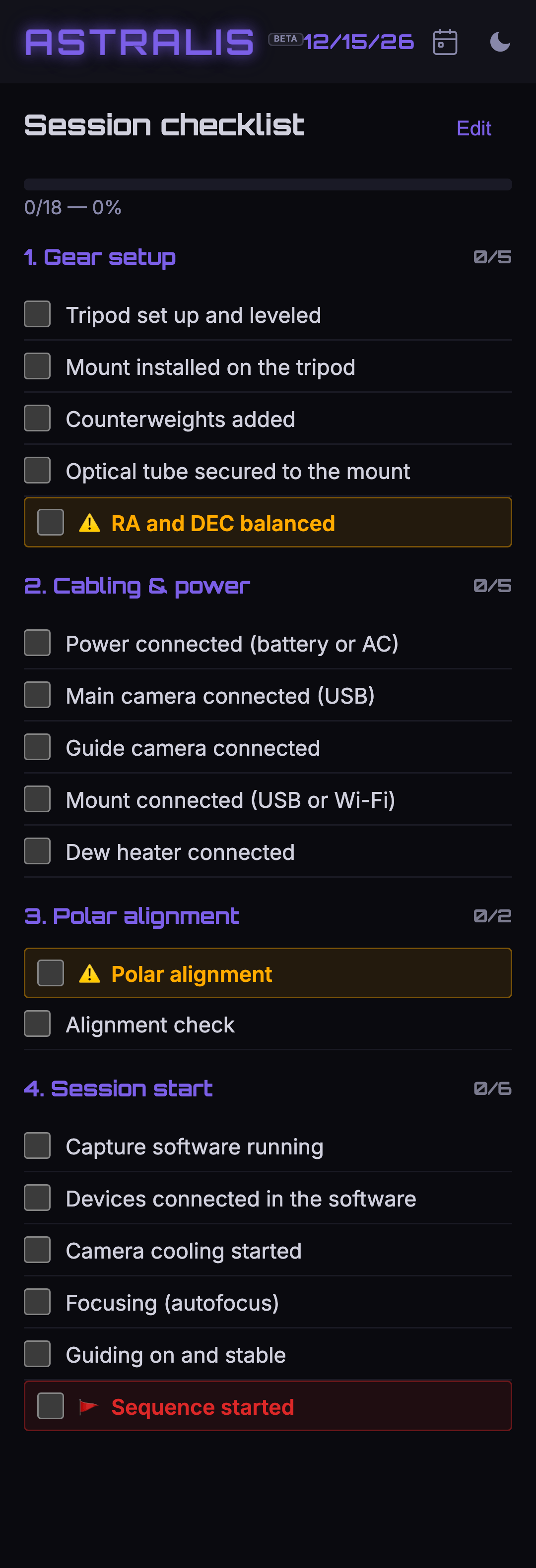
Astralis writes the complete sequence for N.I.N.A. — filters, subs, framing, focus, guiding, stop conditions. You open it in the Advanced Sequencer, and start the night.
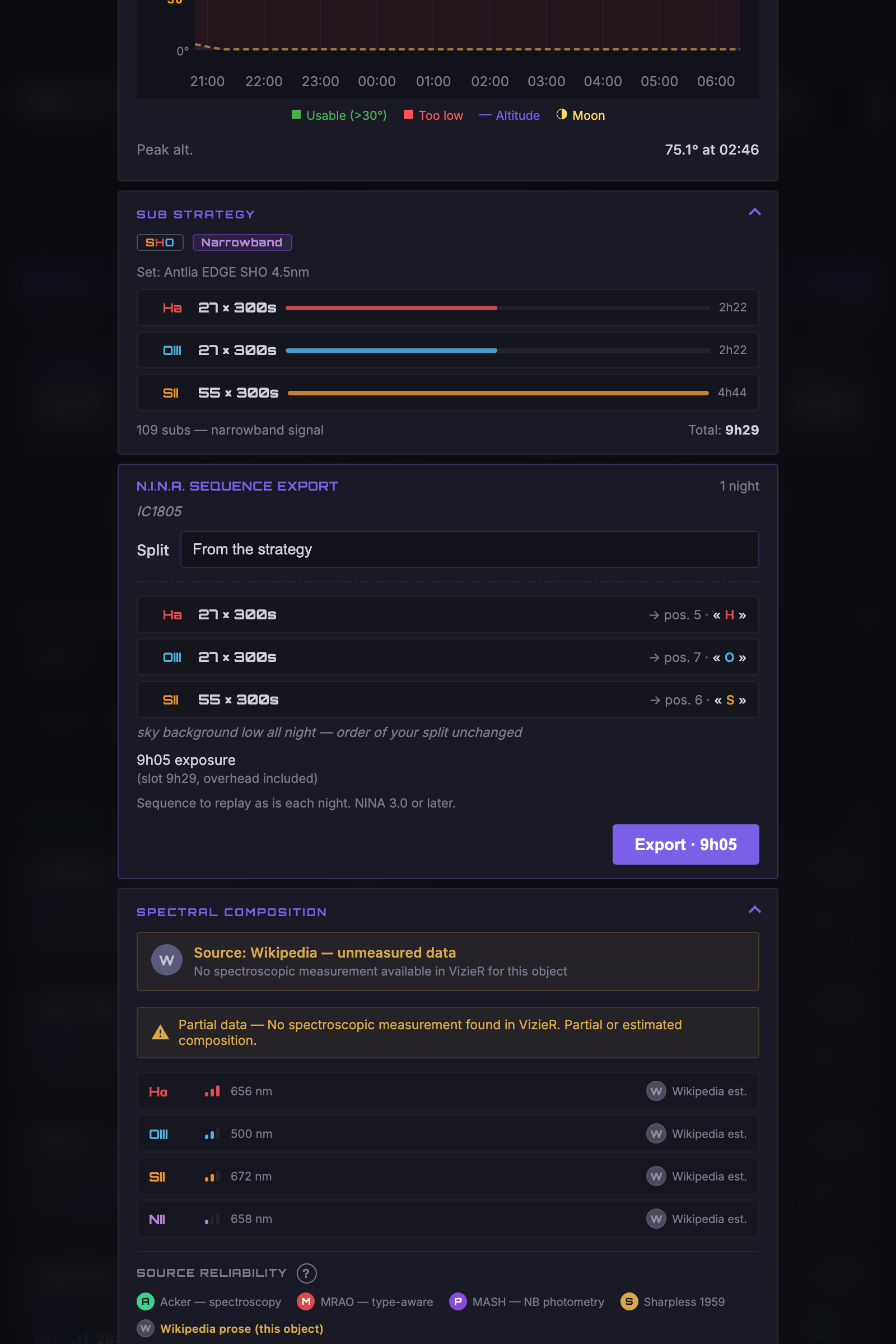
Every filter in its place
Subs, wheel position and N.I.N.A. name — checked before writing. A missing filter? The export is refused, and it says why.
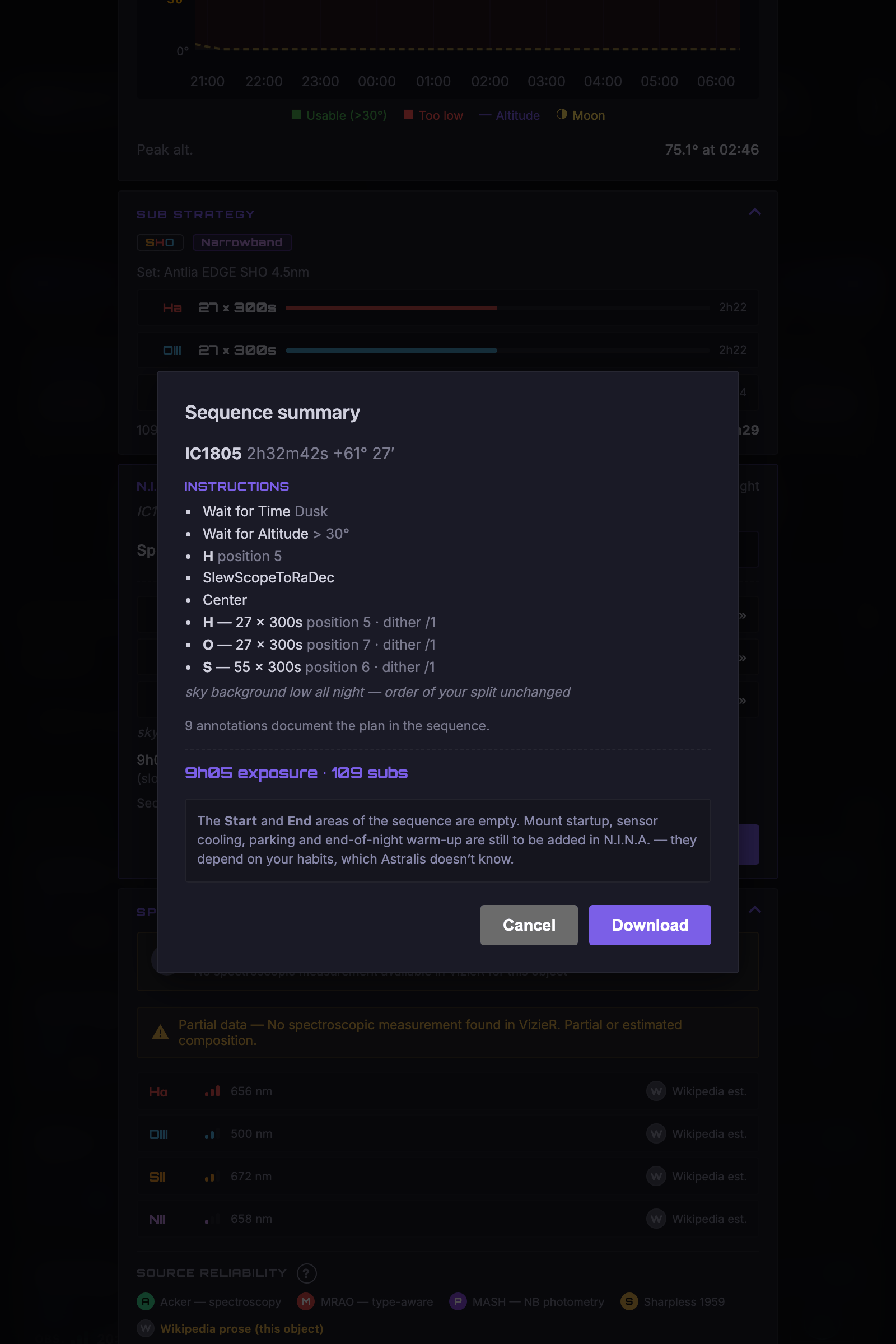
Read back, not promised
Before you download, Astralis reopens the file it just wrote and shows it to you. What you read is exactly what you'll load.
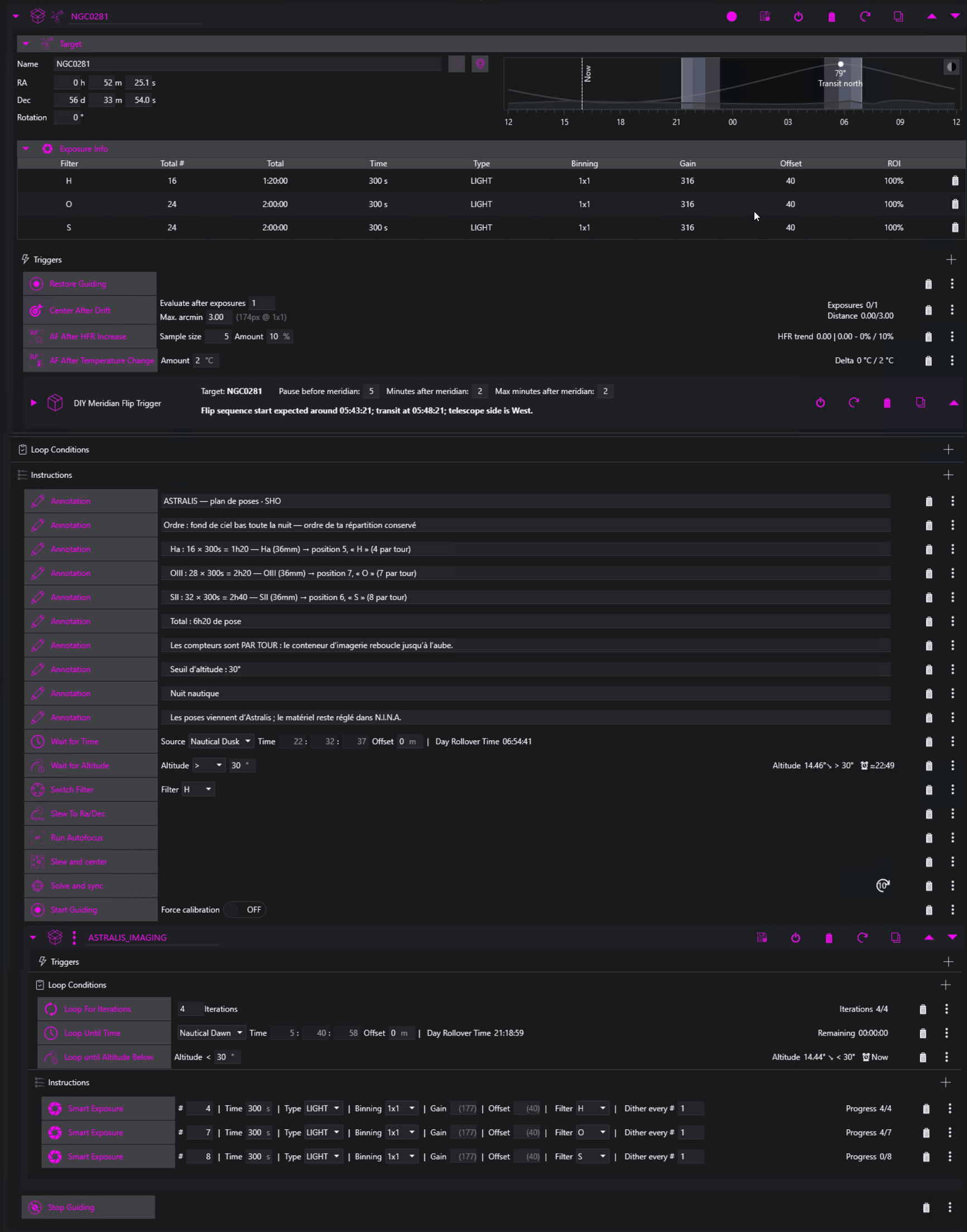
It stops on its own
No fixed date or time: the sequence ends at the first of three — loops complete, dawn, or target too low. Replayable as is, every night.
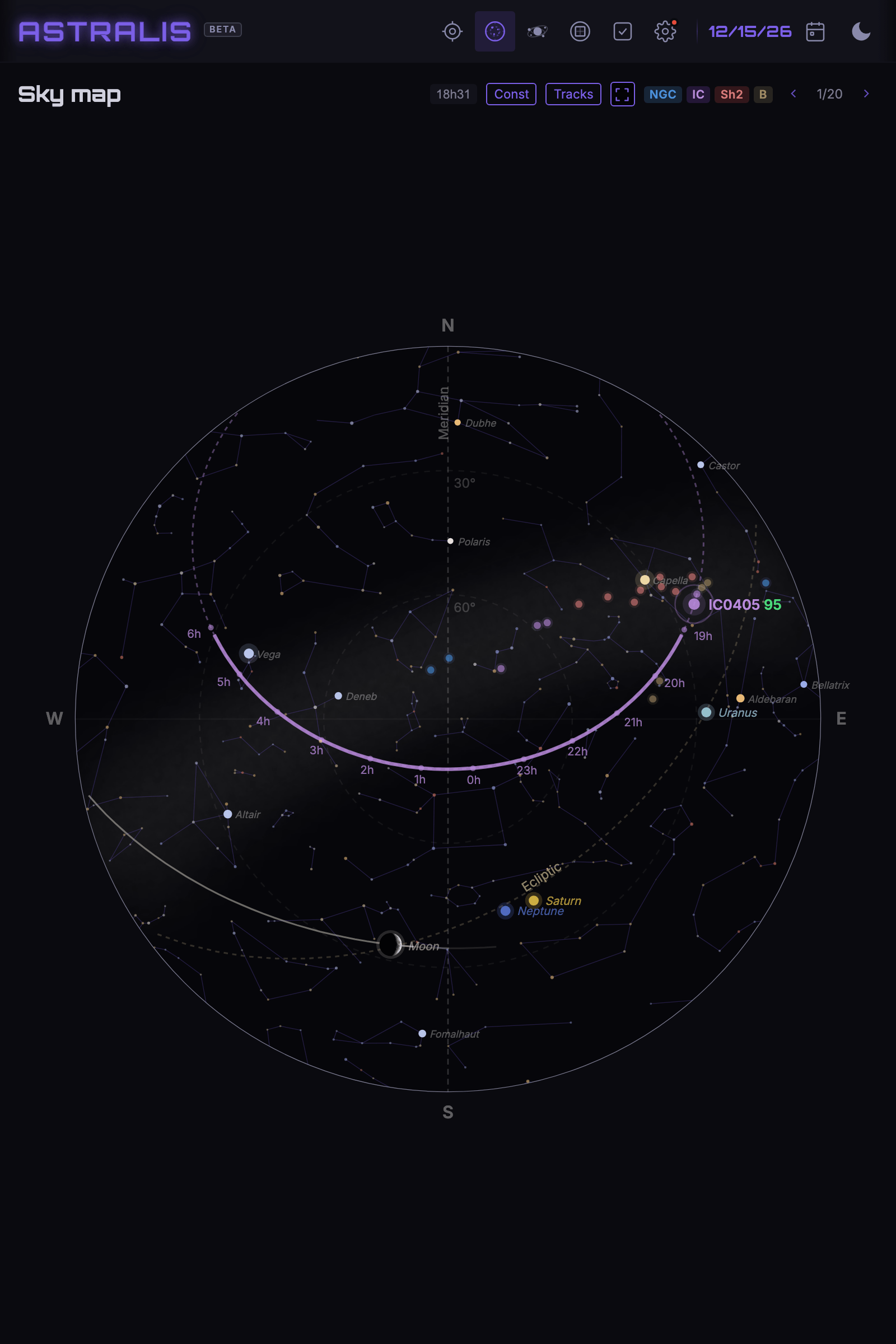
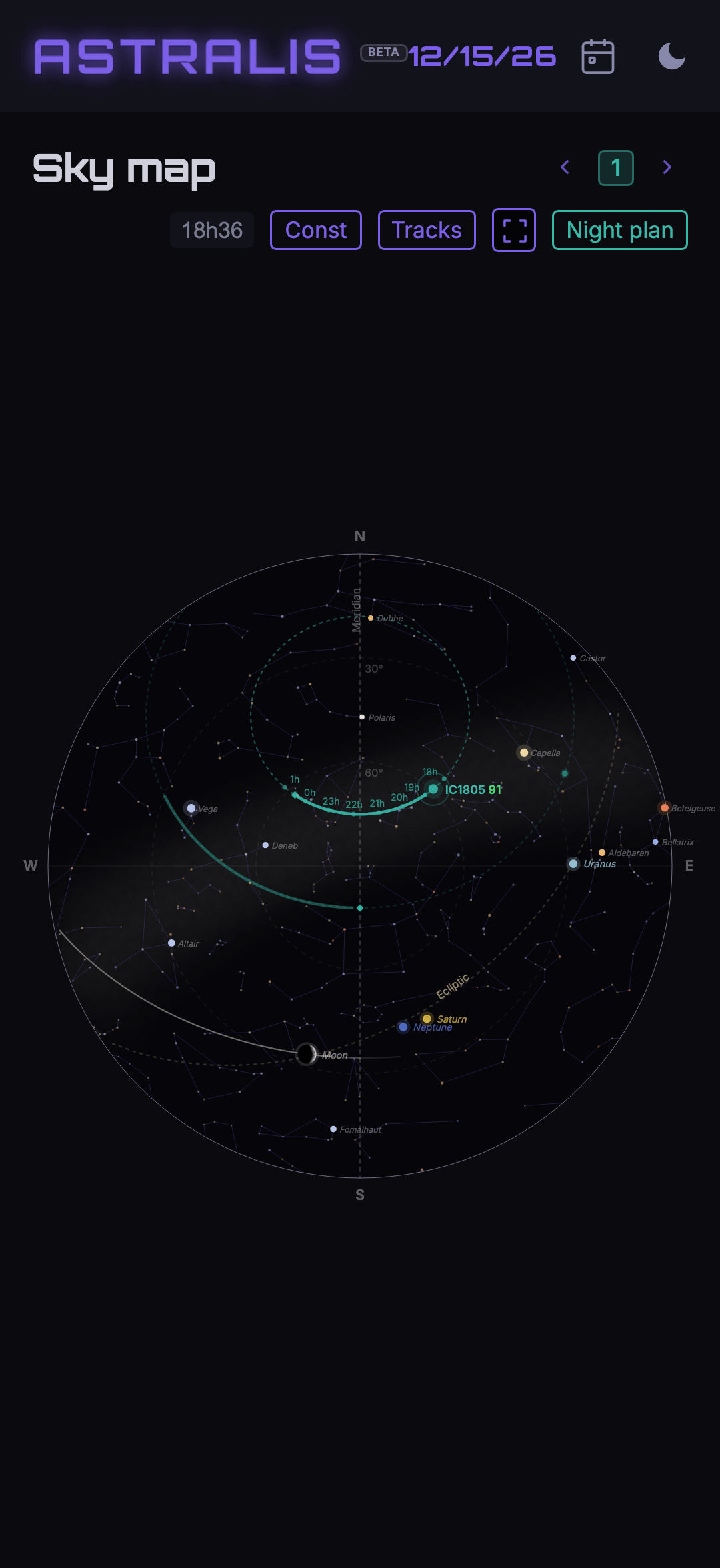
See your targets' tracks
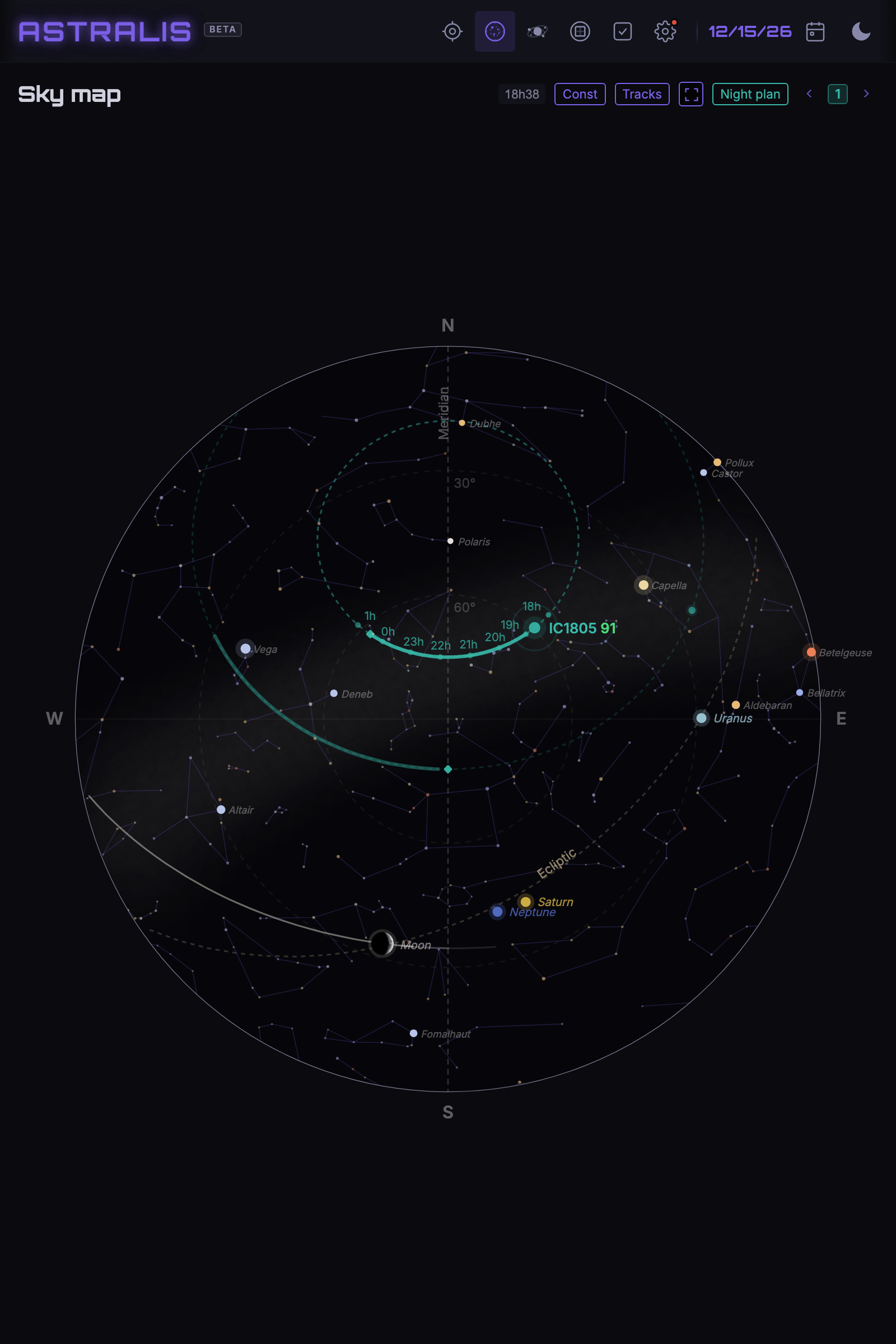
A sky map with the objects' trajectories (tracks), the meridian, the ecliptic and the Moon. Spot at a glance when and where to point — full screen in the field.
Click to enlarge
Your sky, as it really is
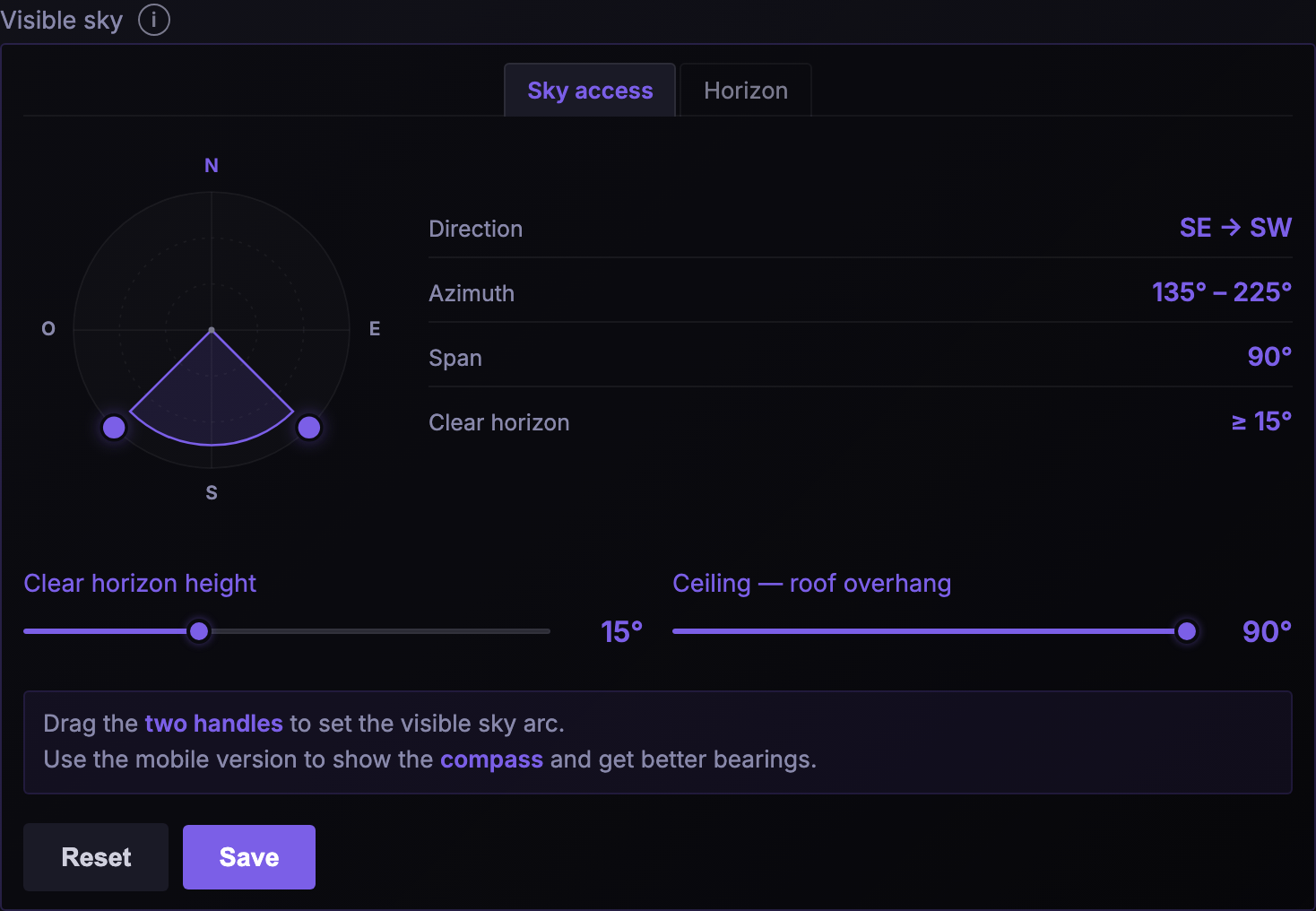
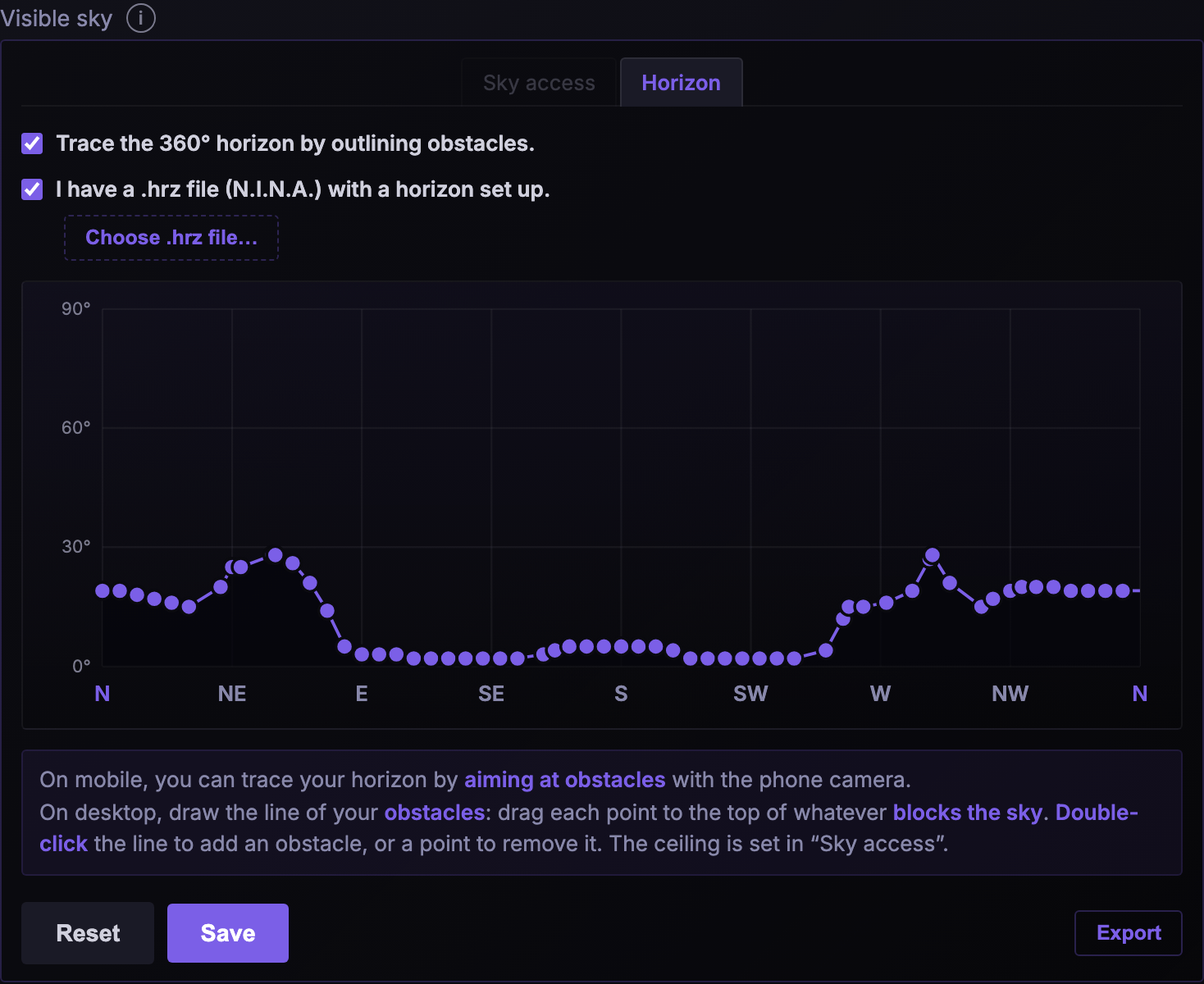
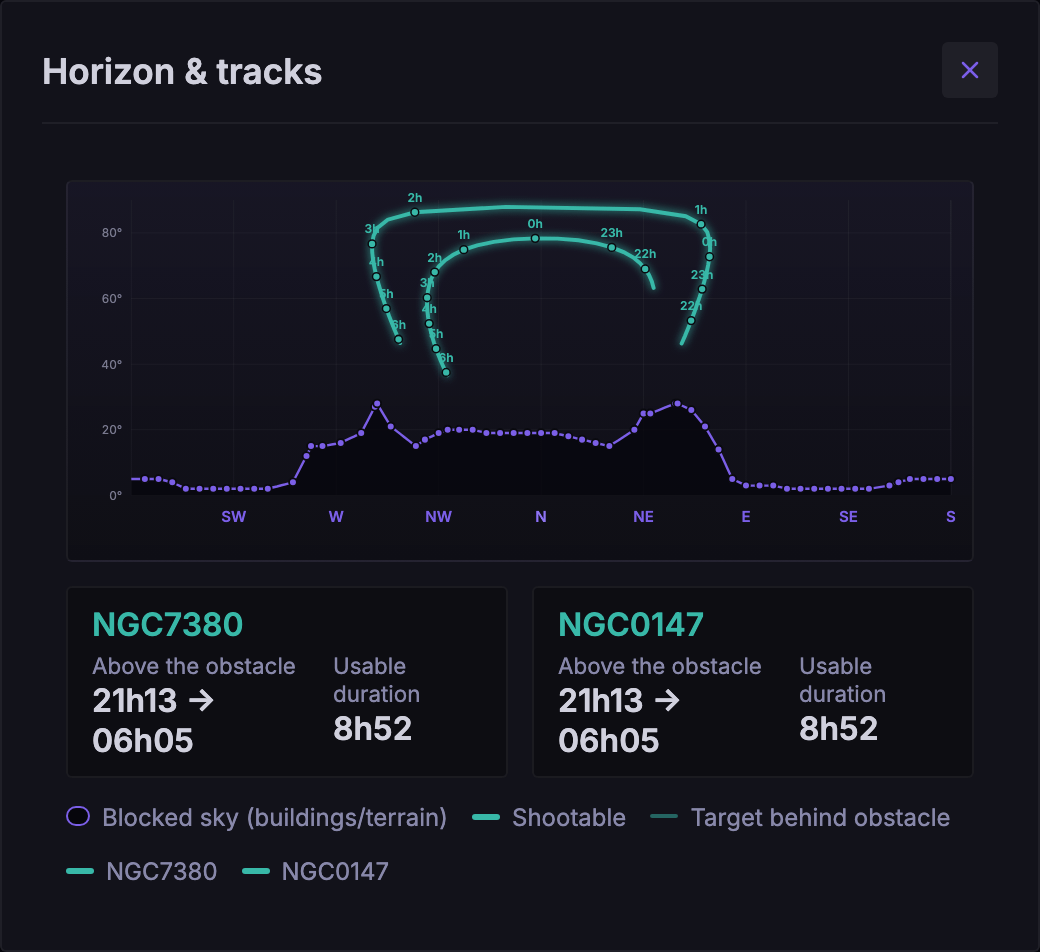
Not everyone has an unobstructed 360° sky. Describe what is actually unobstructed from your site — a simple arc, a jagged horizon traced point by point, or the import of your N.I.N.A. .hrz file. Targets hidden behind an obstacle are dropped, and usable time counts only what really passes through your sky. Scroll →
Will the night really be clear?
Astralis doesn't settle for a single forecast: it combines several, all free, each for what it does best. Open-Meteo provides cloud cover, broken down into low, mid and high layers, plus wind, temperature, dew point, humidity, and the jet stream, that very-high-altitude wind that stirs the air and blurs the stars. 7Timer provides seeing and transparency, indicative, as a median over the night.
And to know how much the forecast is worth, Open-Meteo Ensemble replays the same night in 51 scenarios. Each one is ranked separately, and the gauge next to the emoji shows how many of them agree with the headline forecast. It's agreement between scenarios, not a probability.
Click to enlarge

Each figure has its own source: if one goes down, the others still show, and a missing value is never replaced by a zero. Offline, the last published forecast stays readable. Seeing and transparency appear once you're online.
Built for demanding setups
A gear database, multi-profile calibration and documentation that explains every calculation.
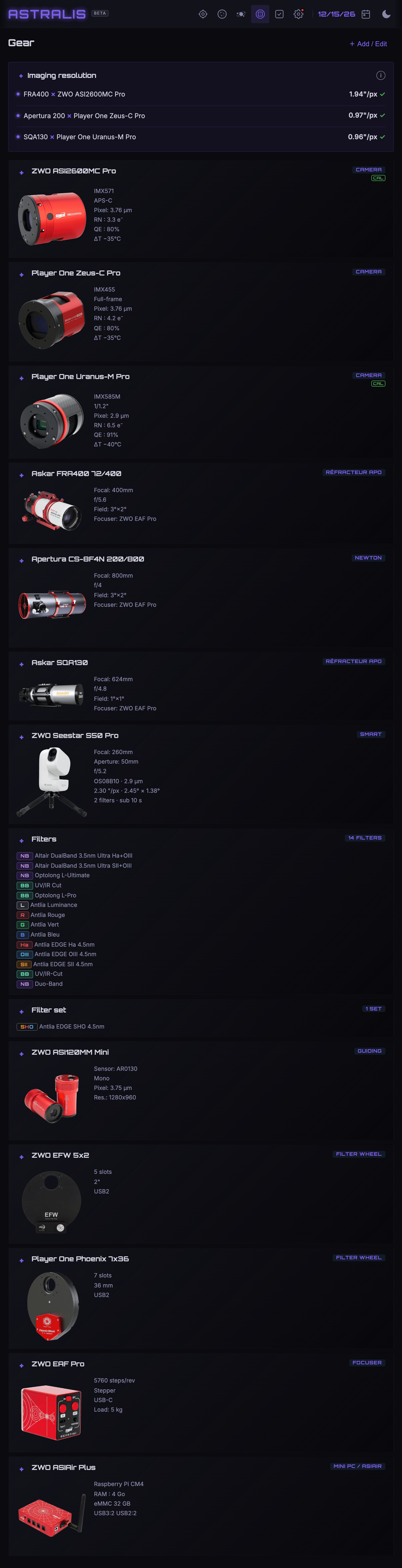 Click to see the whole gear page ↕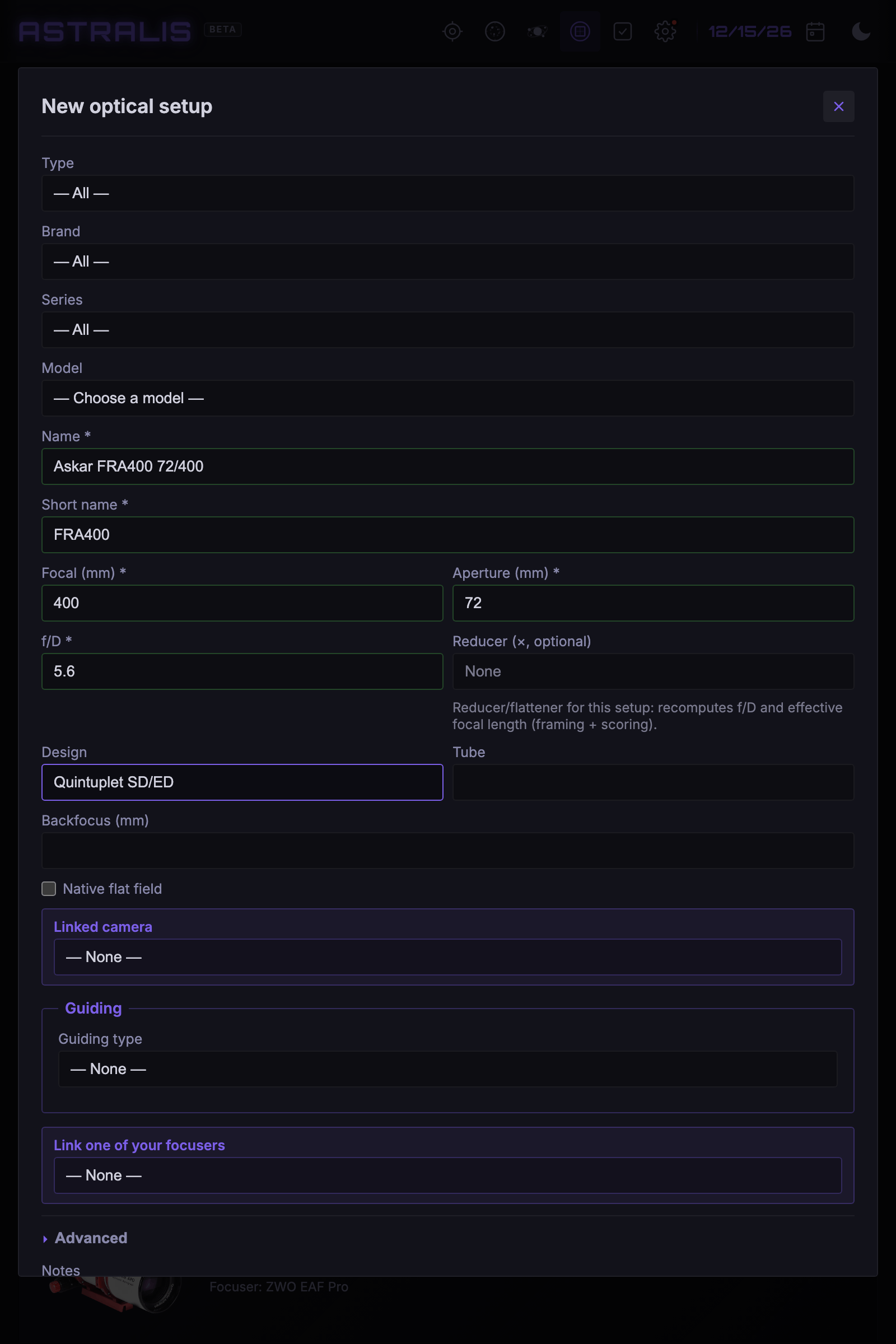
Gear database & focus
Add telescopes, cameras, filters and wheels from a preset database. Astralis even pre-sets Hocus Focus and the NINA autofocus (CFZ, step size).
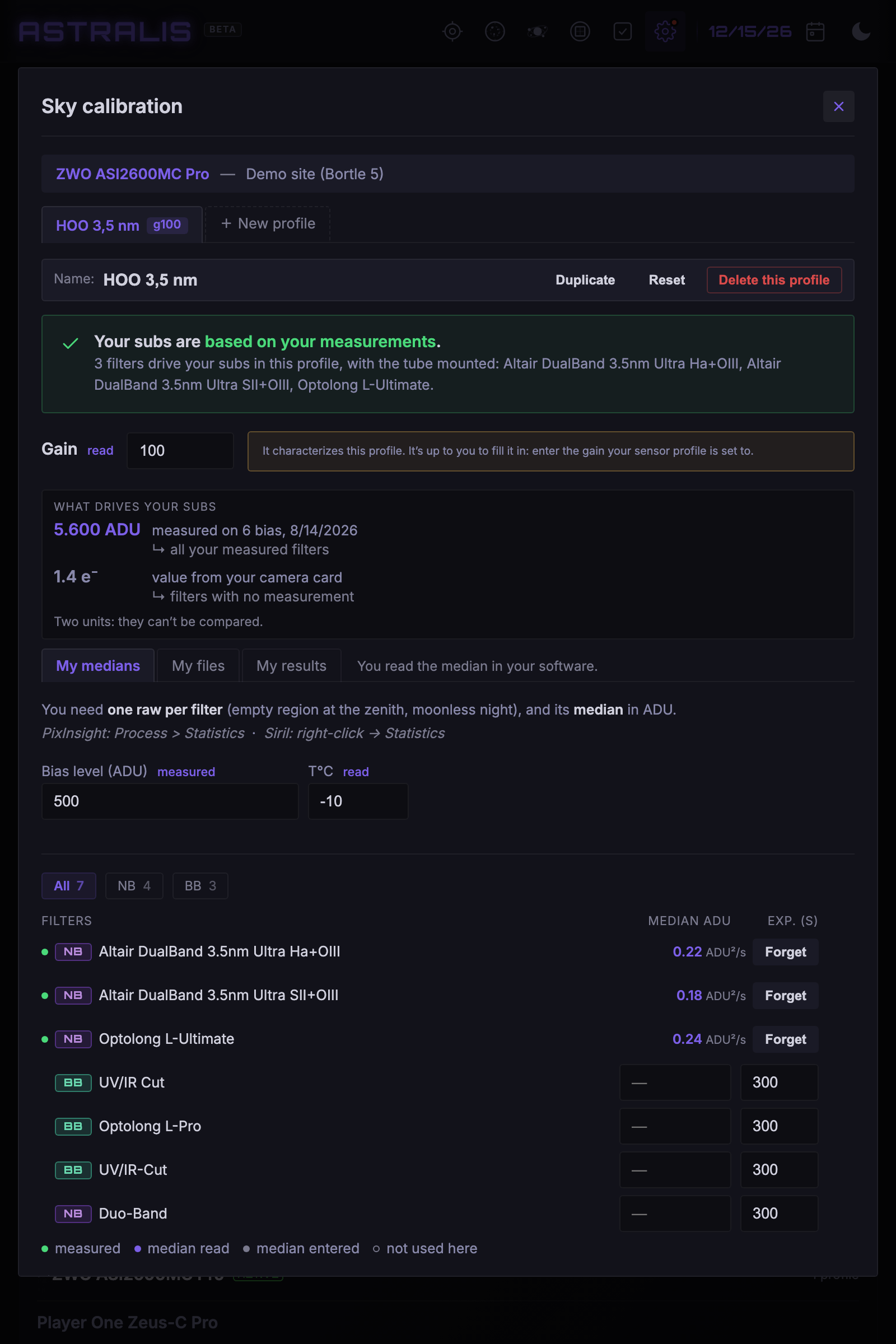
Calibration
Refine exposure times with your real sky background measurements, per camera and per gain.
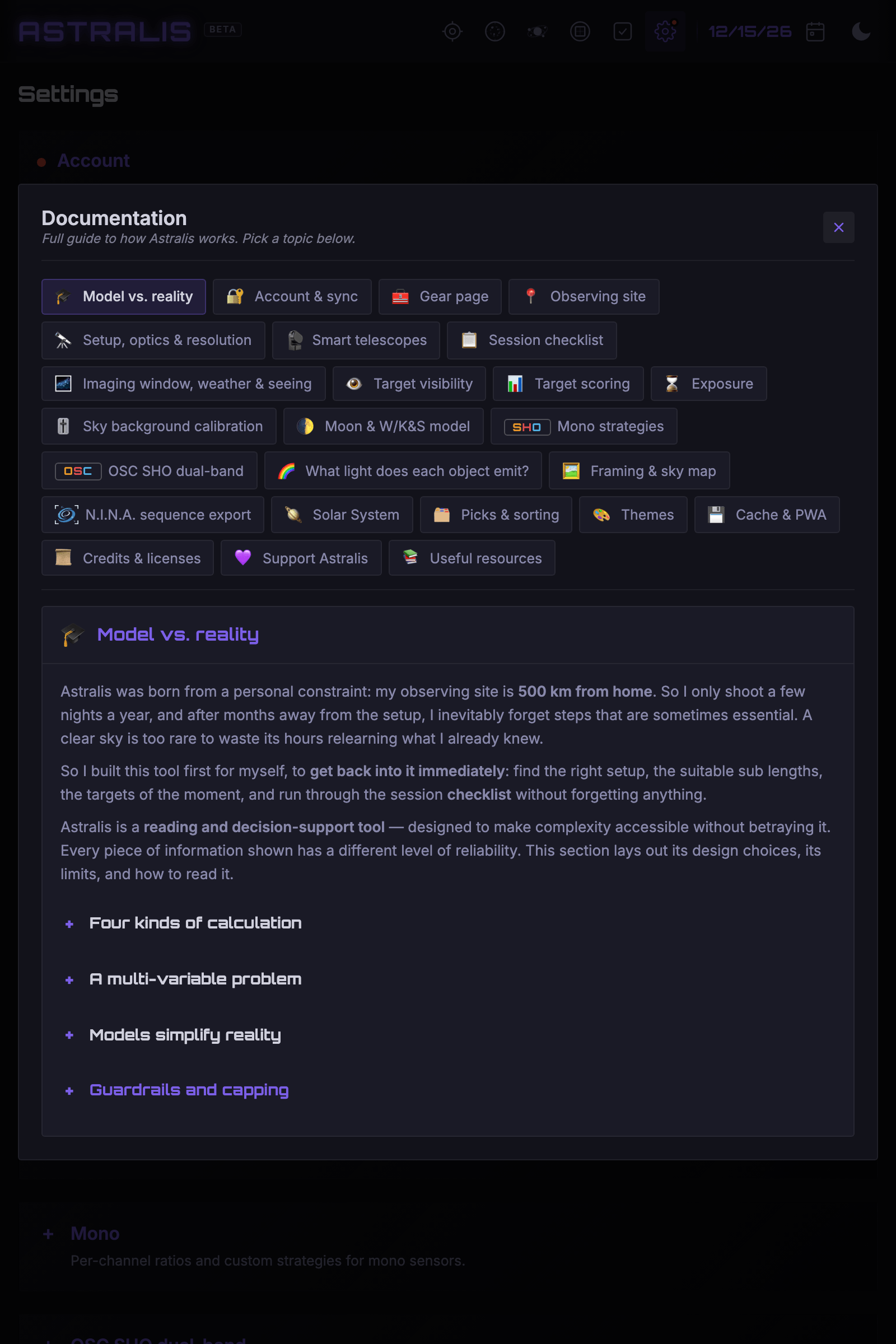
Documentation
A complete guide: reliability levels, calculation models, deliberate choices and limits.
Field looks black on the map? Look in Hα
B347, in Cygnus: on the standard sky background, a hole in the stars. One button later, the dark nebula stands out. Seven layers overlay the field — RGB, Hα, OIII, SII, SHO, Hα and continuum, True Color —, at an opacity that keeps the stars readable underneath. Northern sky, down to −17° declination.
Everything else in the viewer keeps working on top: your sensor frame, rotation, the mosaic grid. You spot an extension before the night, shift your framing, and bring the whole object back in.
The same field, without a layer then in RGB — click to enlarge
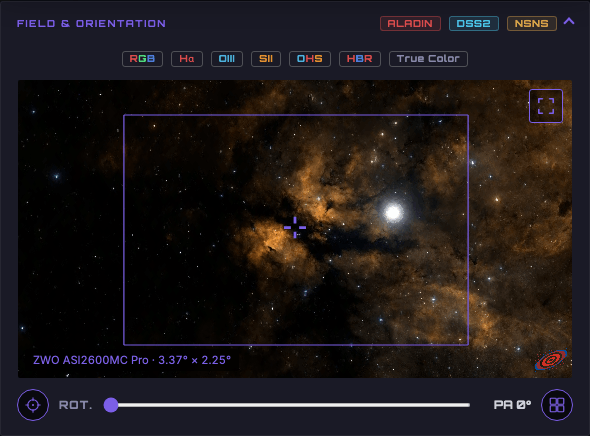
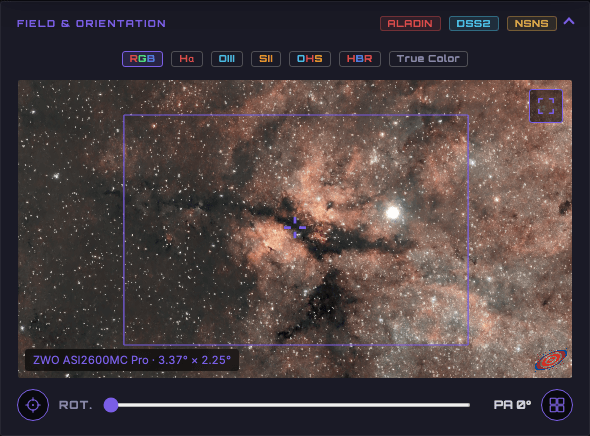
Layers: Northern Sky Narrowband Survey, Stefan Ziegenbalg (simg.de), CC BY-NC-SA 4.0.
Your Seestar, your Vespera, your Draco: Astralis knows them
Nineteen devices — Seestar, DWARF, Vespera, Celestron Origin, Unistellar. Pick the brand and the model: Astralis creates the optical setup, its built-in sensor and its onboard filters in one go, from the manufacturer's spec sheet.
Values that manufacturers don't publish stay marked as such: these sensors' read noise isn't written anywhere, and Astralis says so rather than making it up.
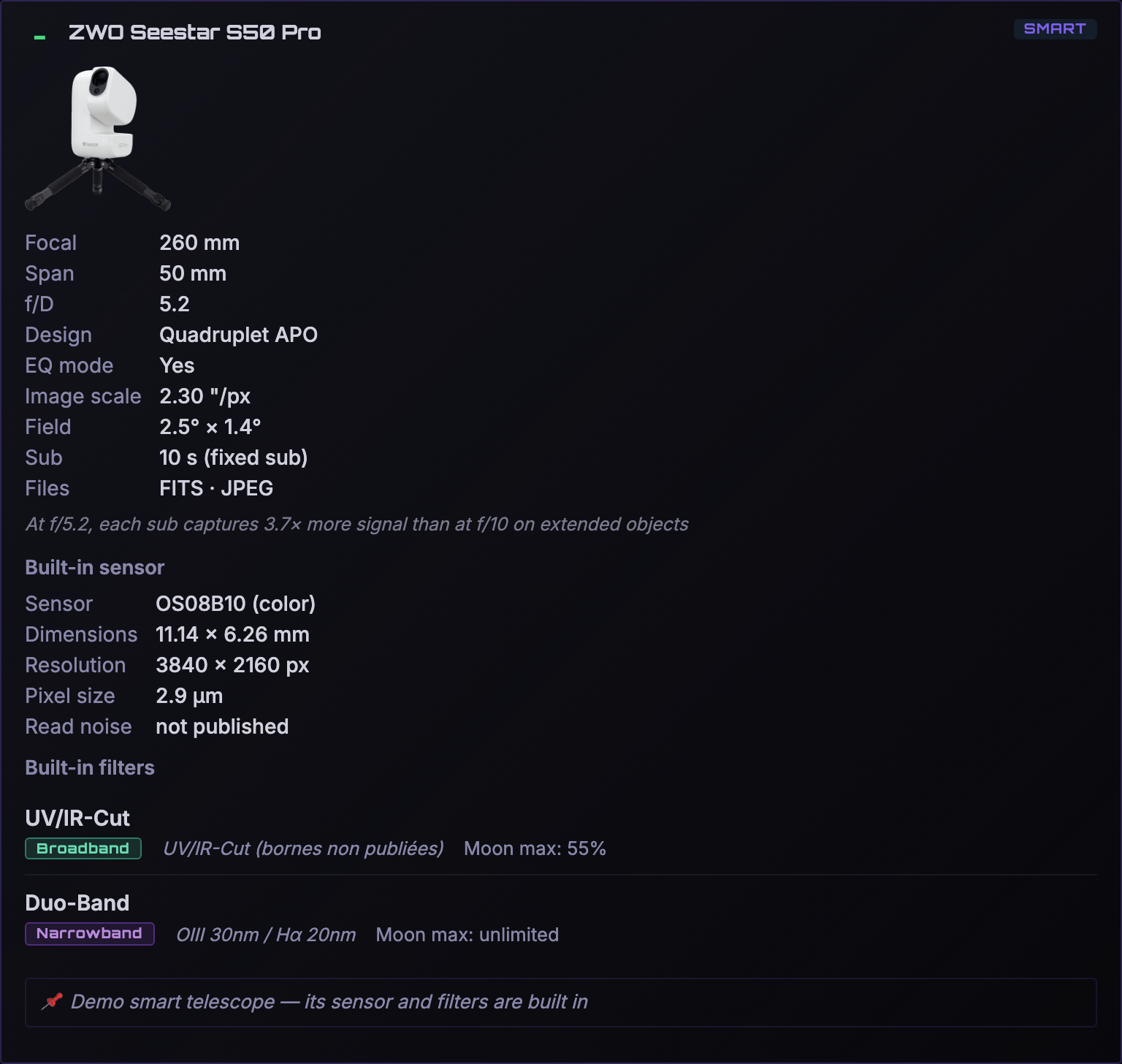 Click to see the whole card ↕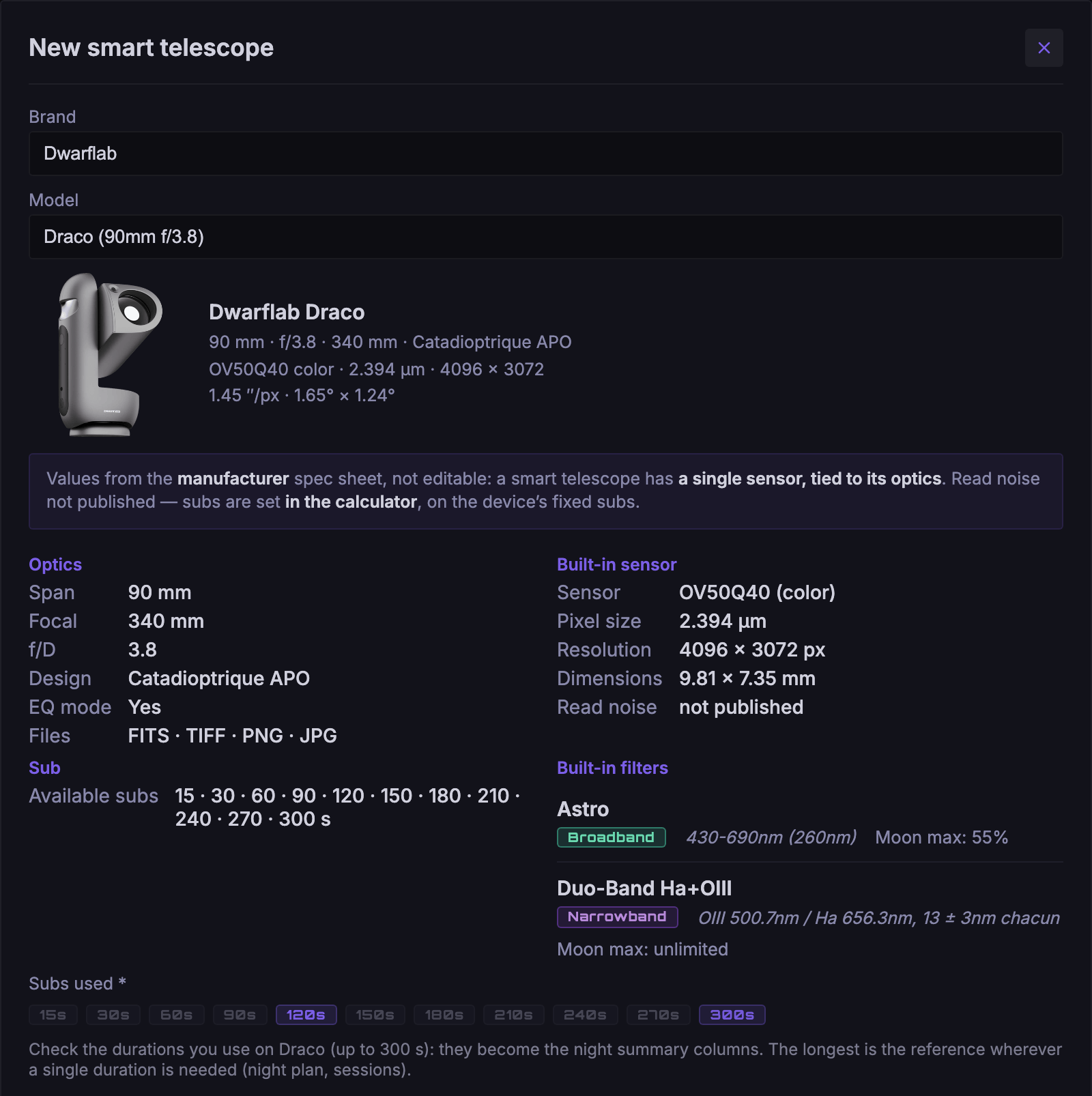
Two choices, and it's set up
The brand, the model, your short name. On Home, picking the device is enough: its sensor follows, and your refractor next to it keeps its own.
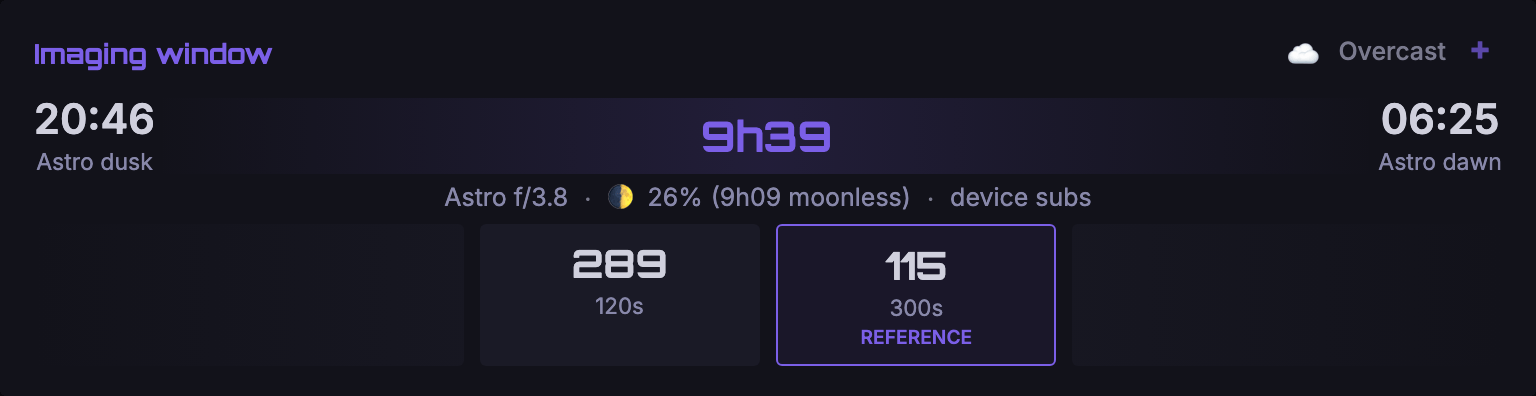
Its own subs, no others
10 s on a Seestar, 4 s on an Unistellar, up to 300 s on a Draco. Check the lengths you use: they become the columns of your night.
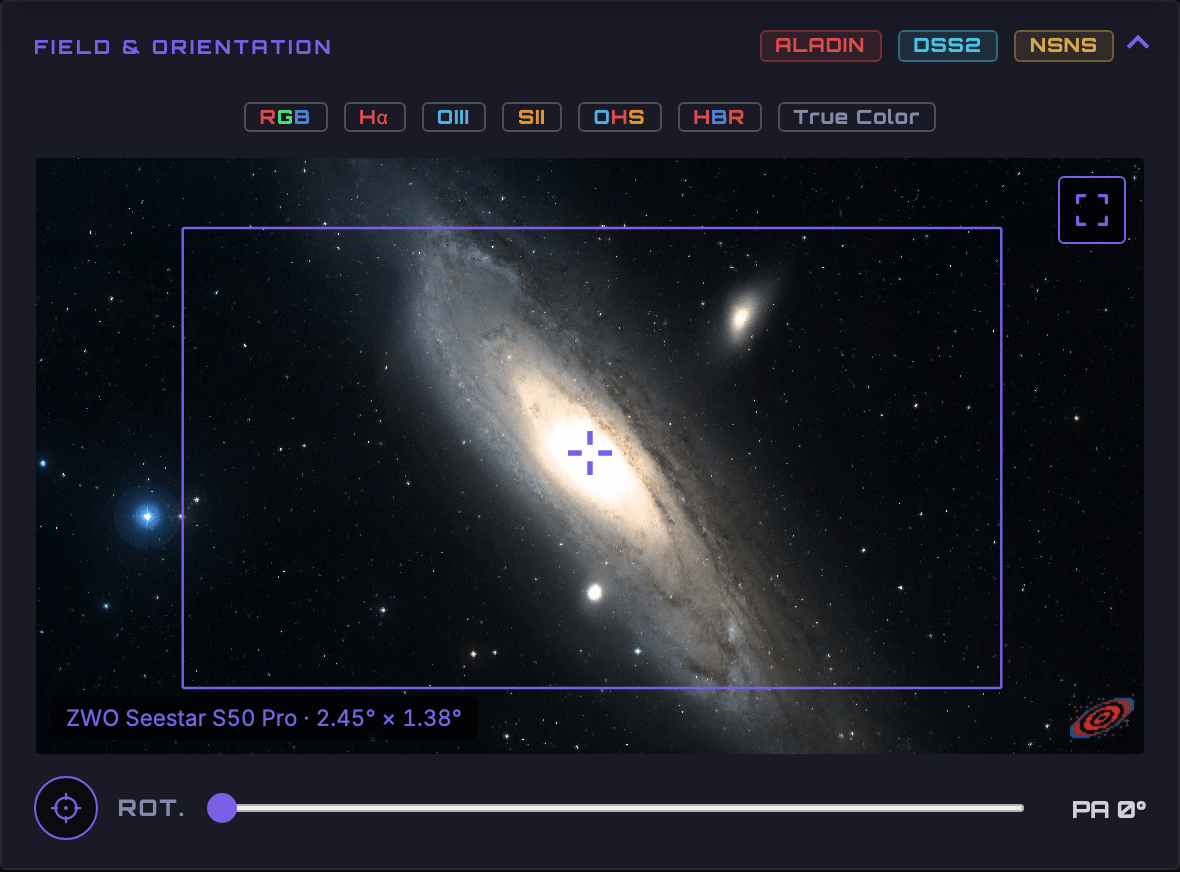
The field, the sky, the night
Framing on the map, the visibility curve, the night plan. The meridian flip and dithering remain the device's job.
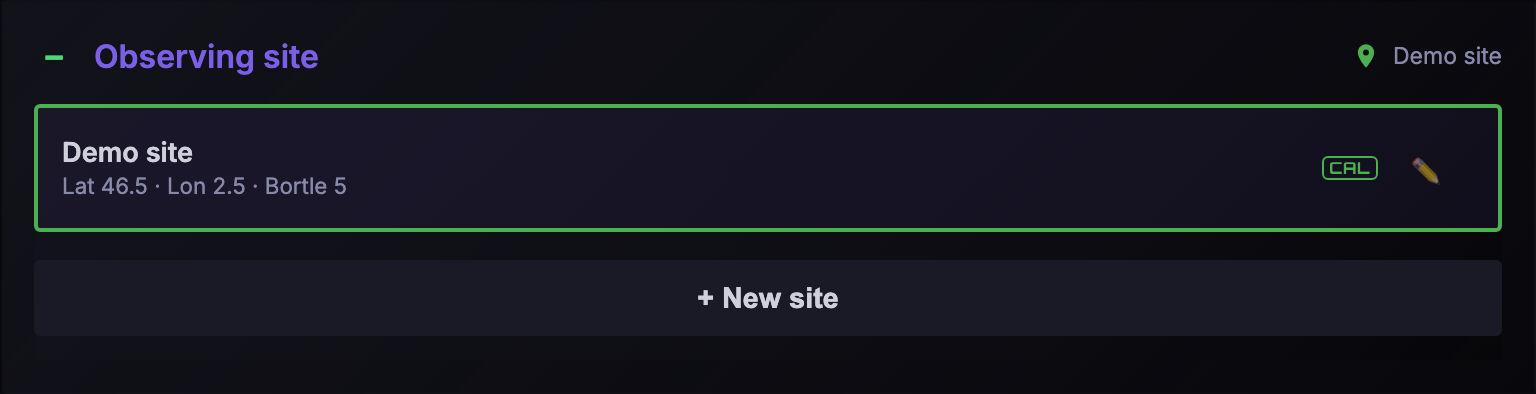
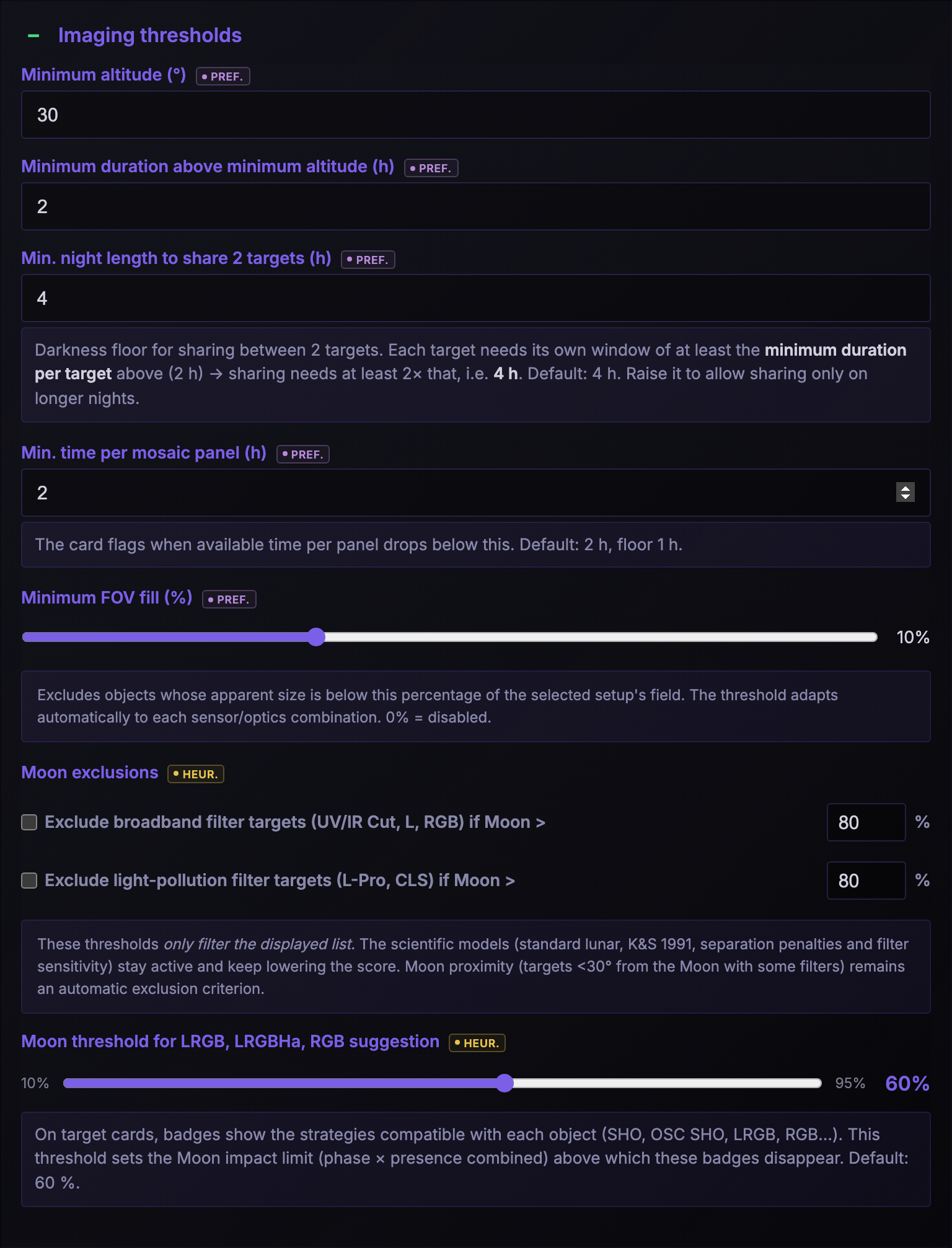
Everything is adjustable, nothing is hidden
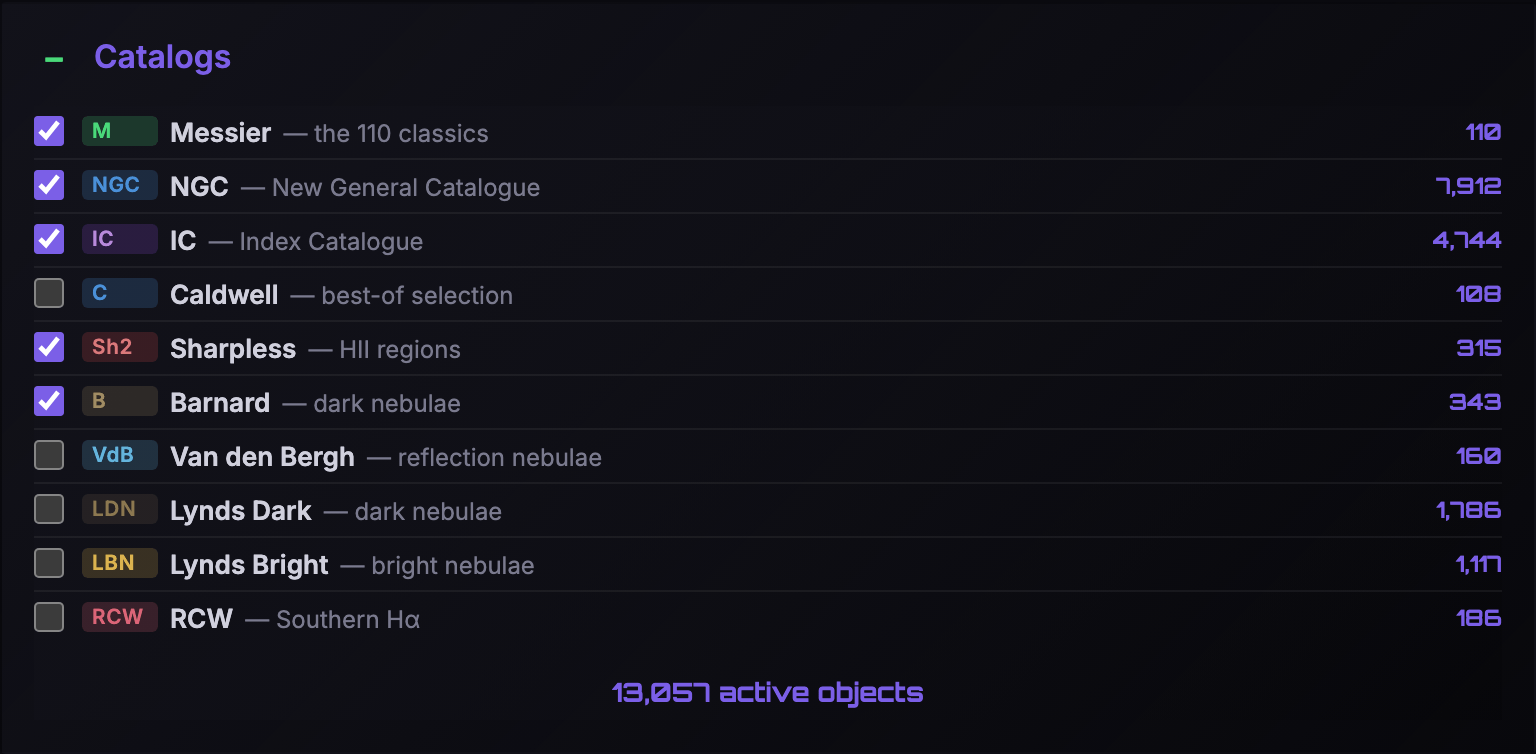
Every calculation parameter is exposed and adjustable — scroll through the settings. Click to enlarge.
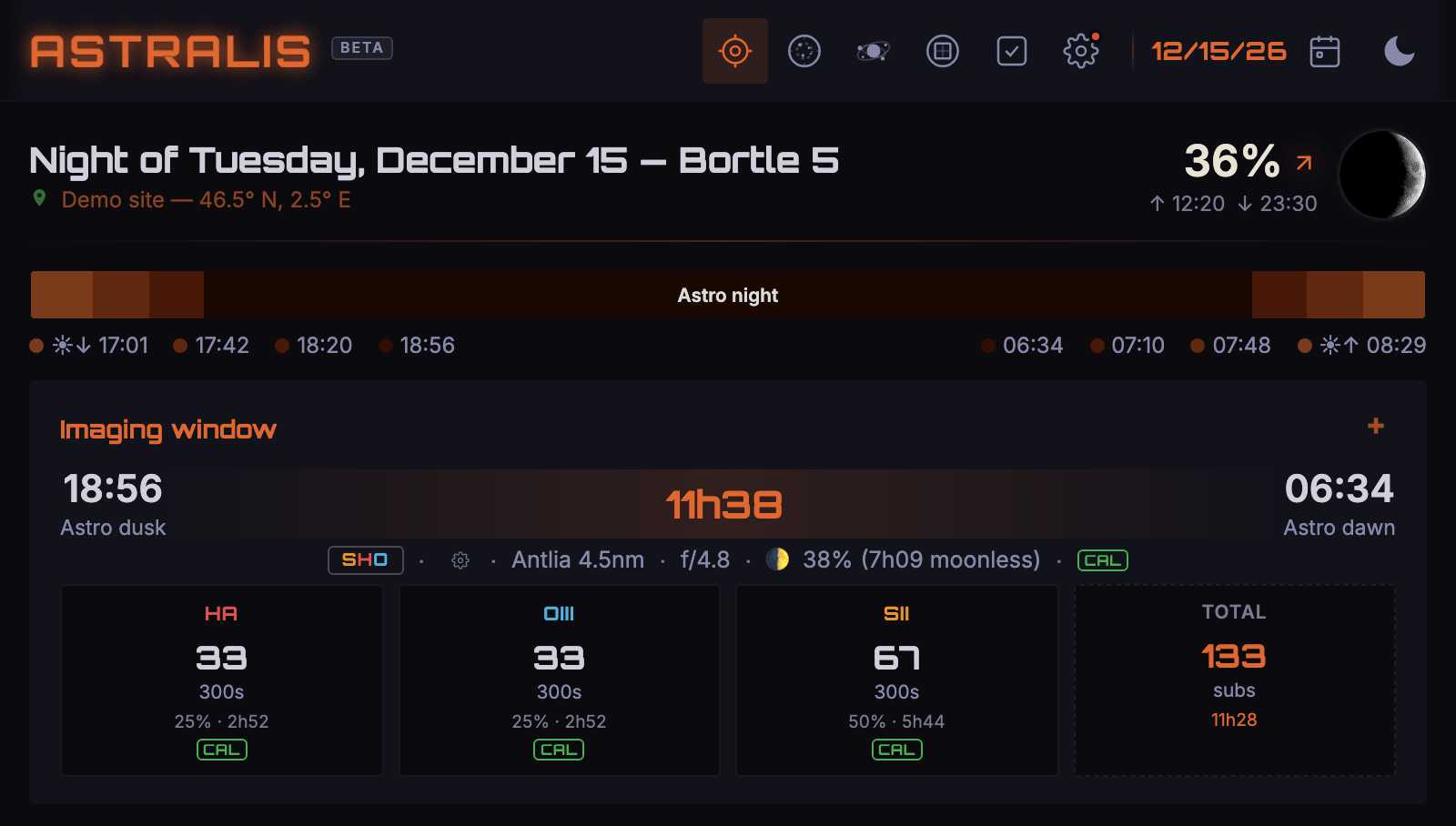
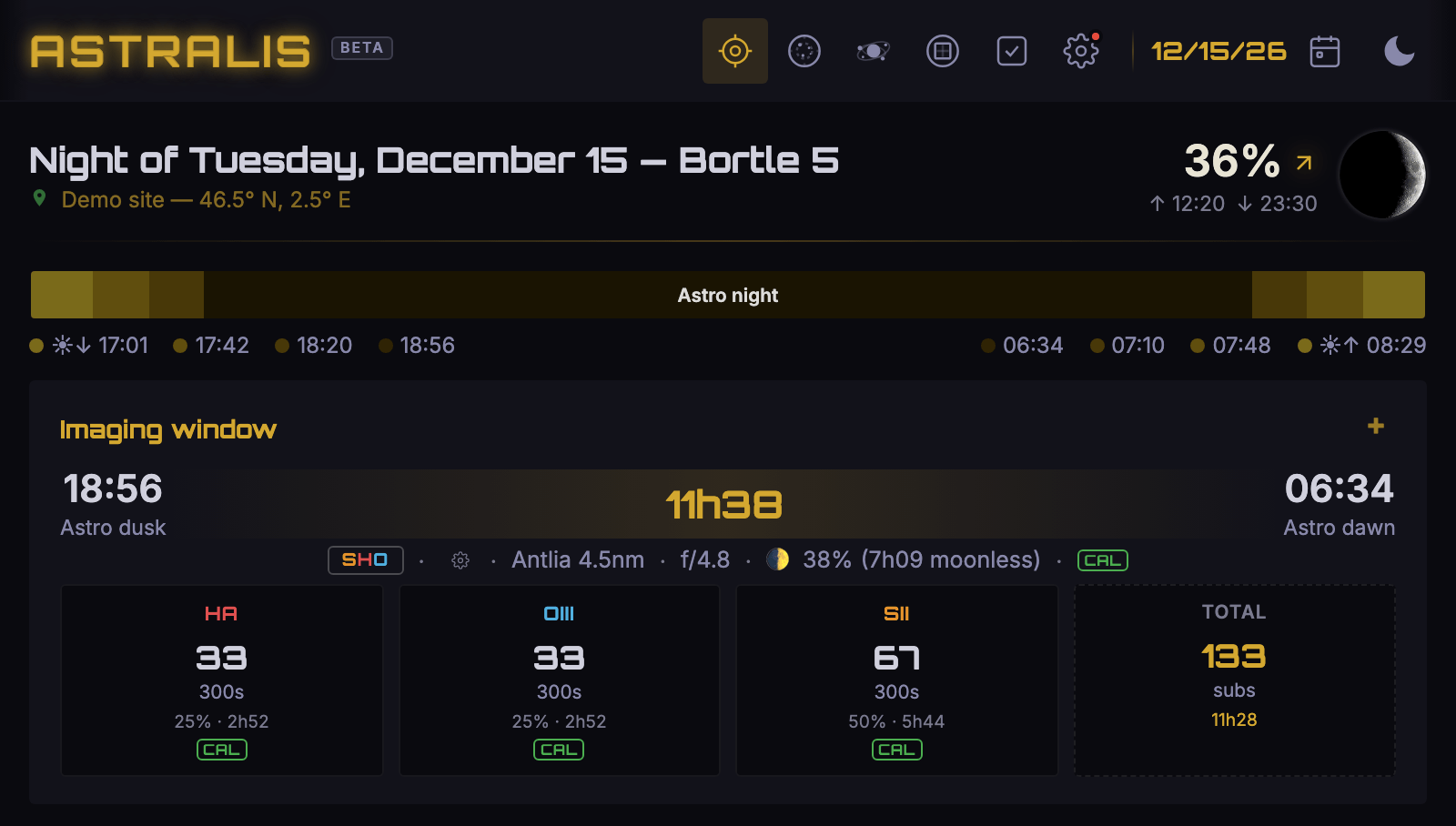
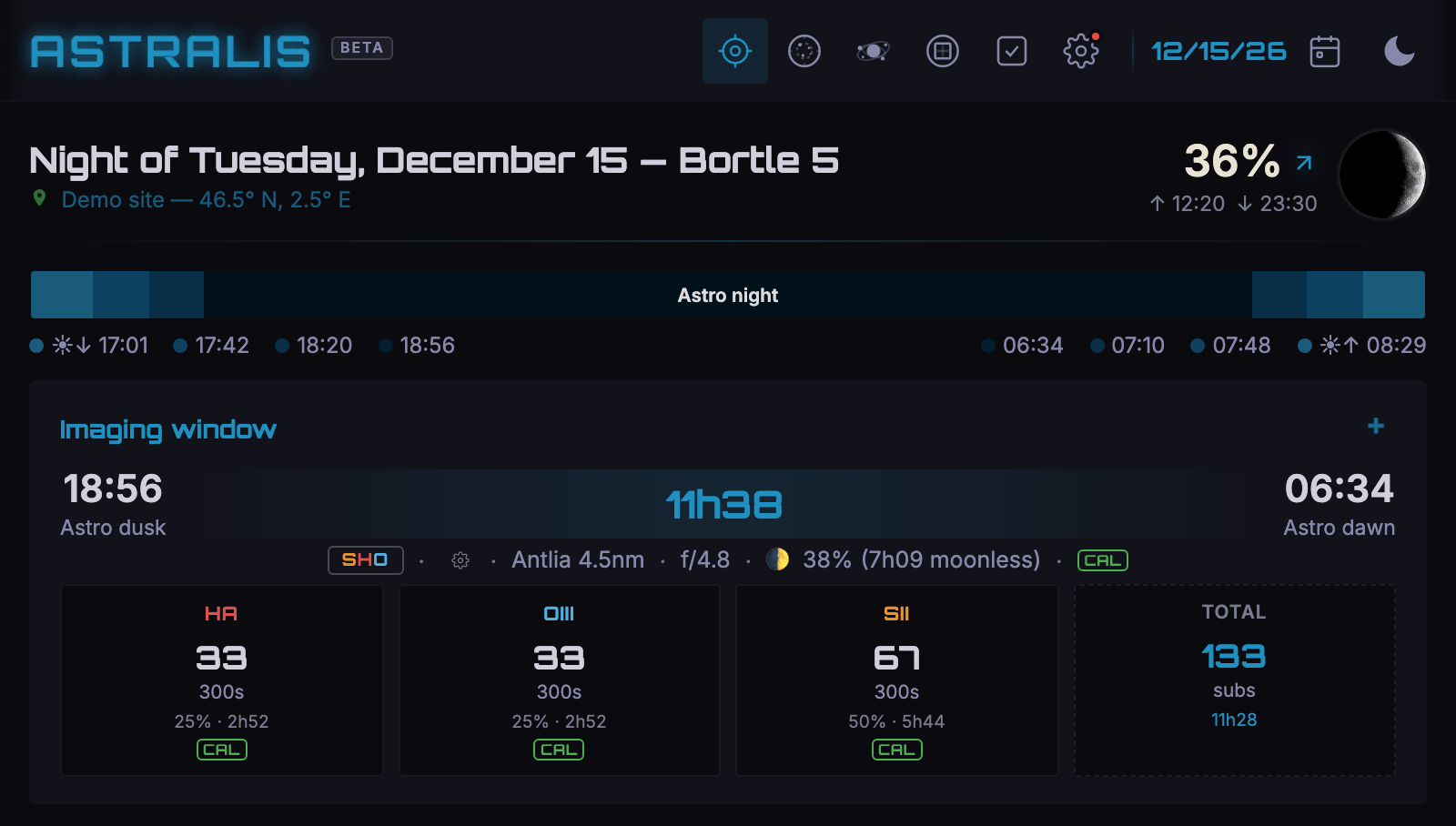
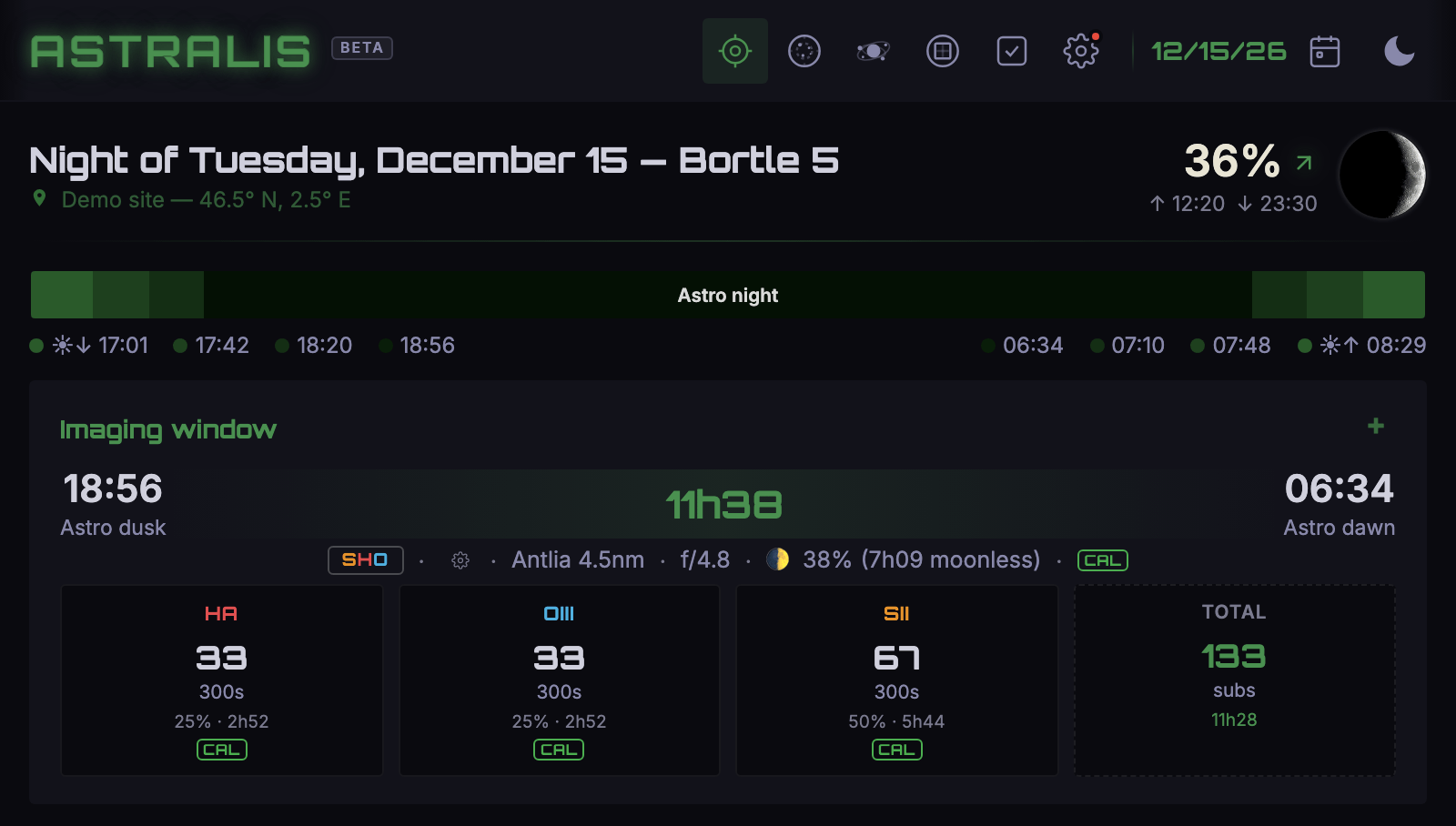
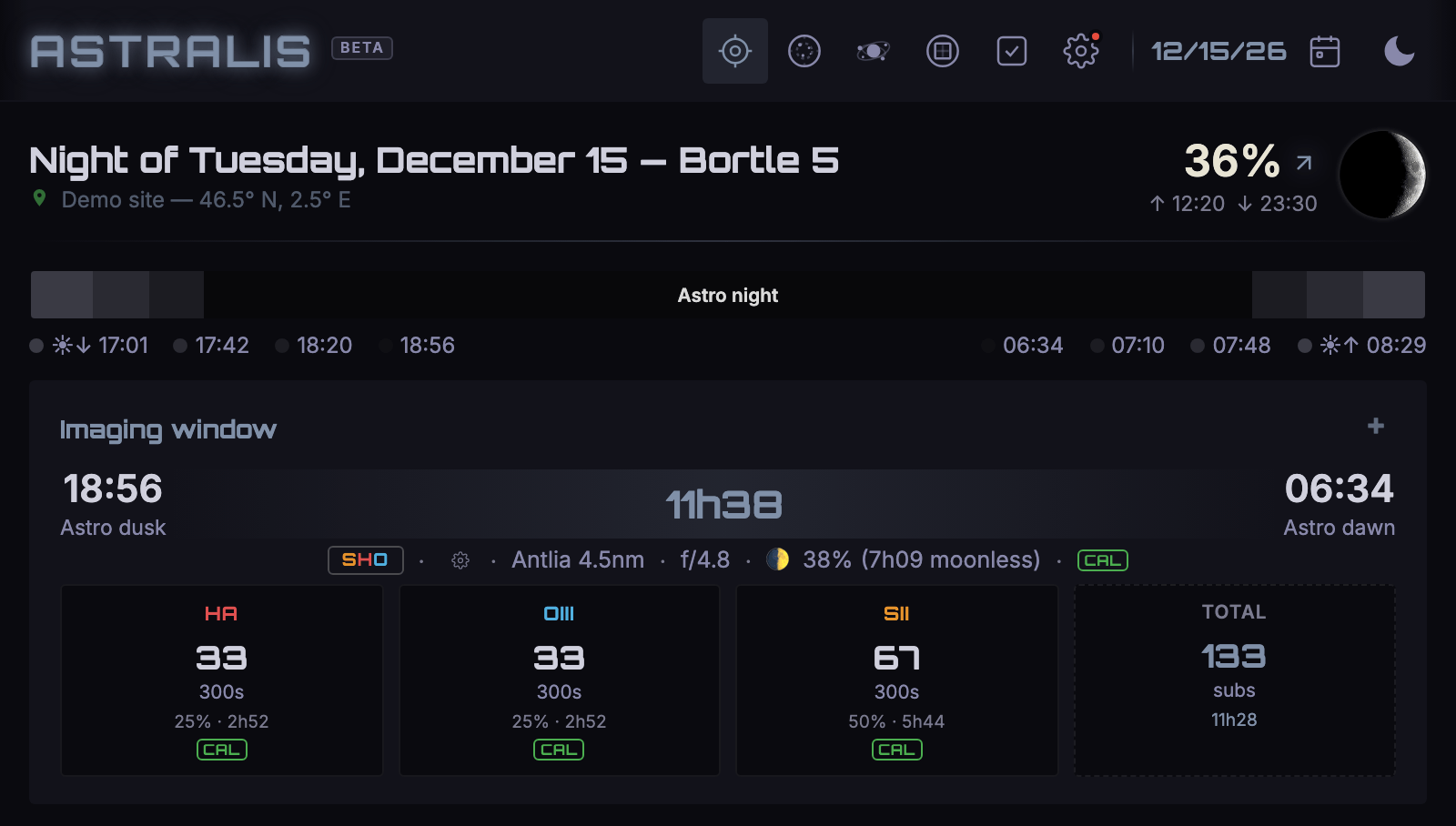
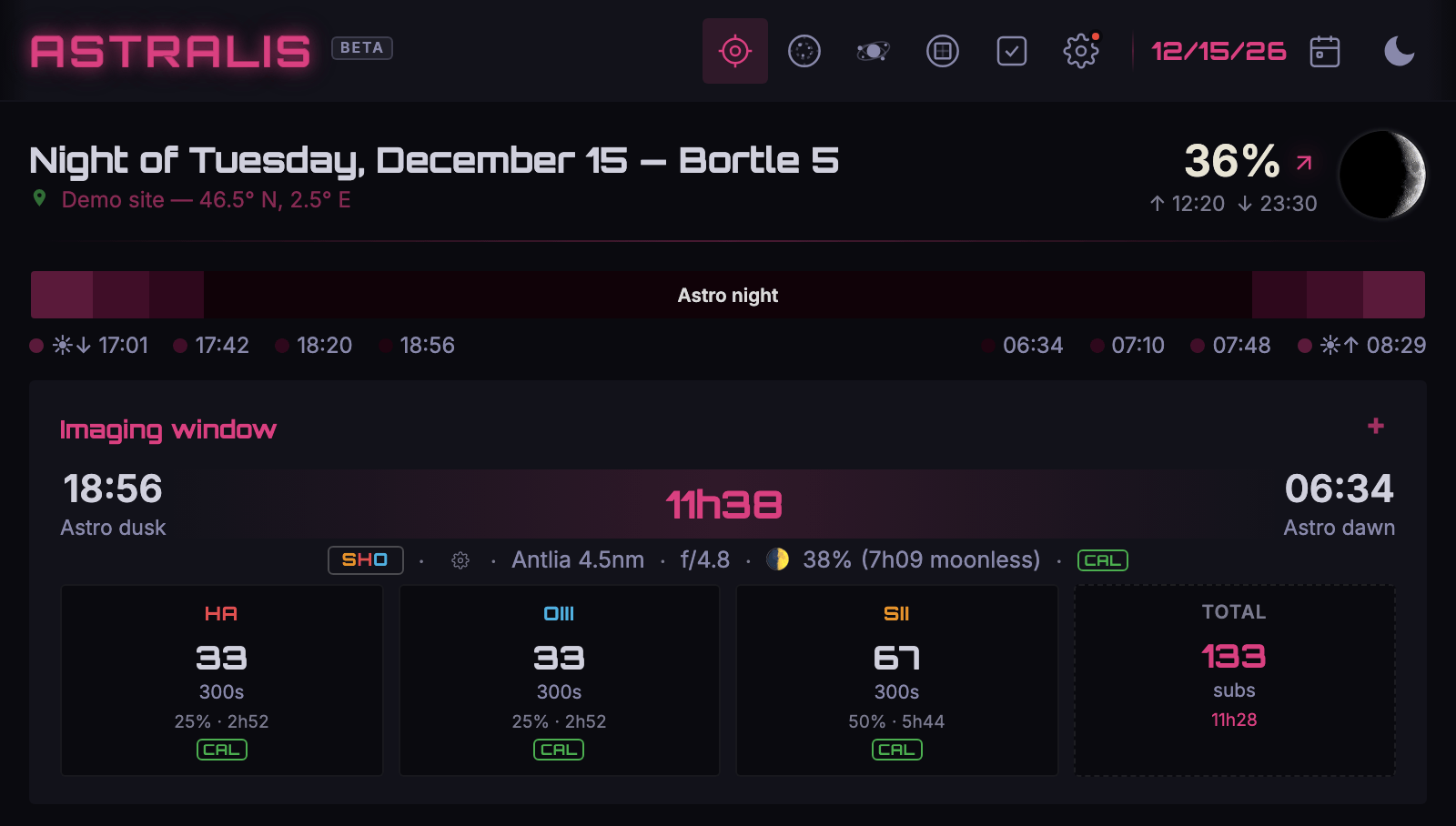
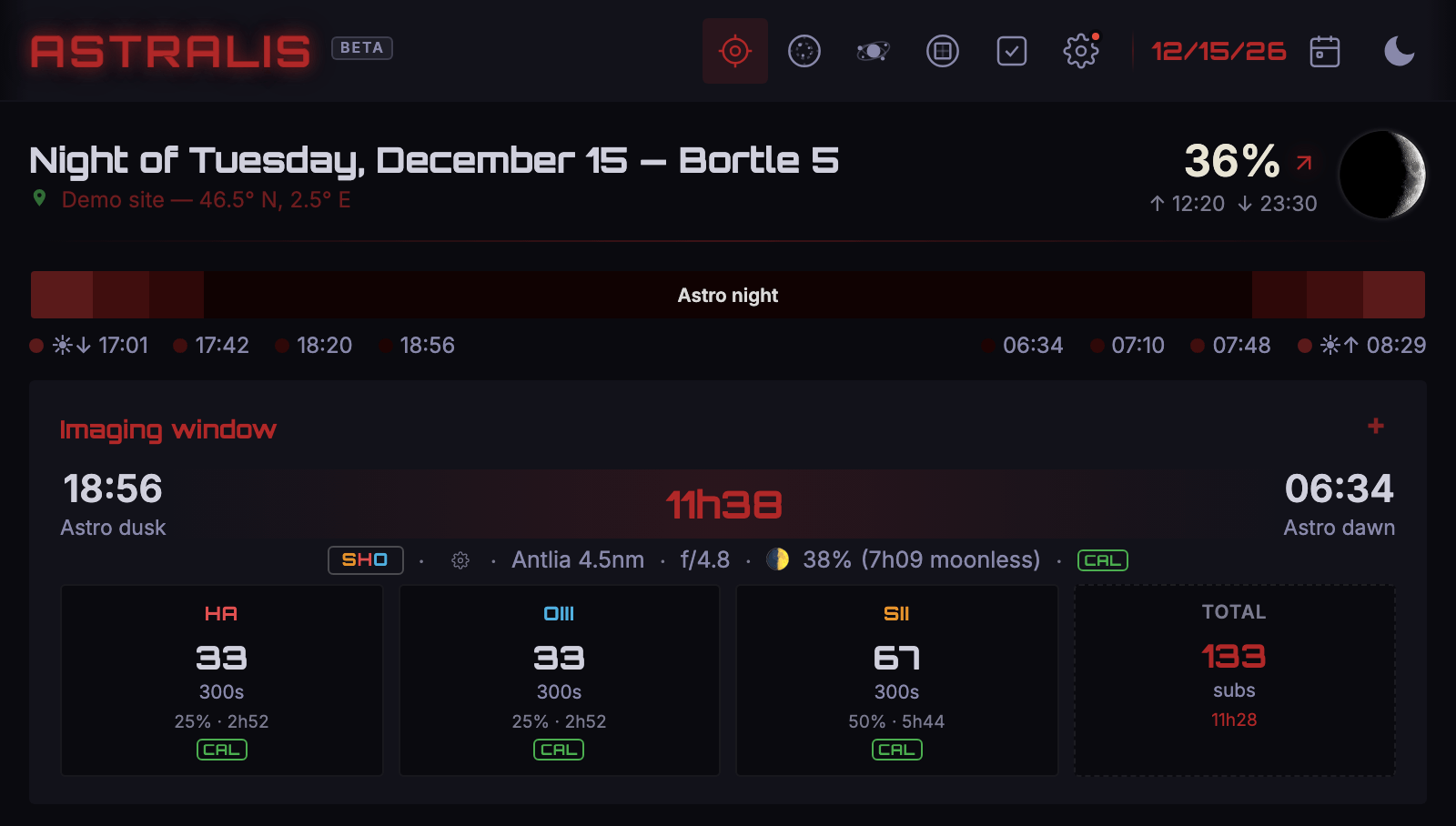
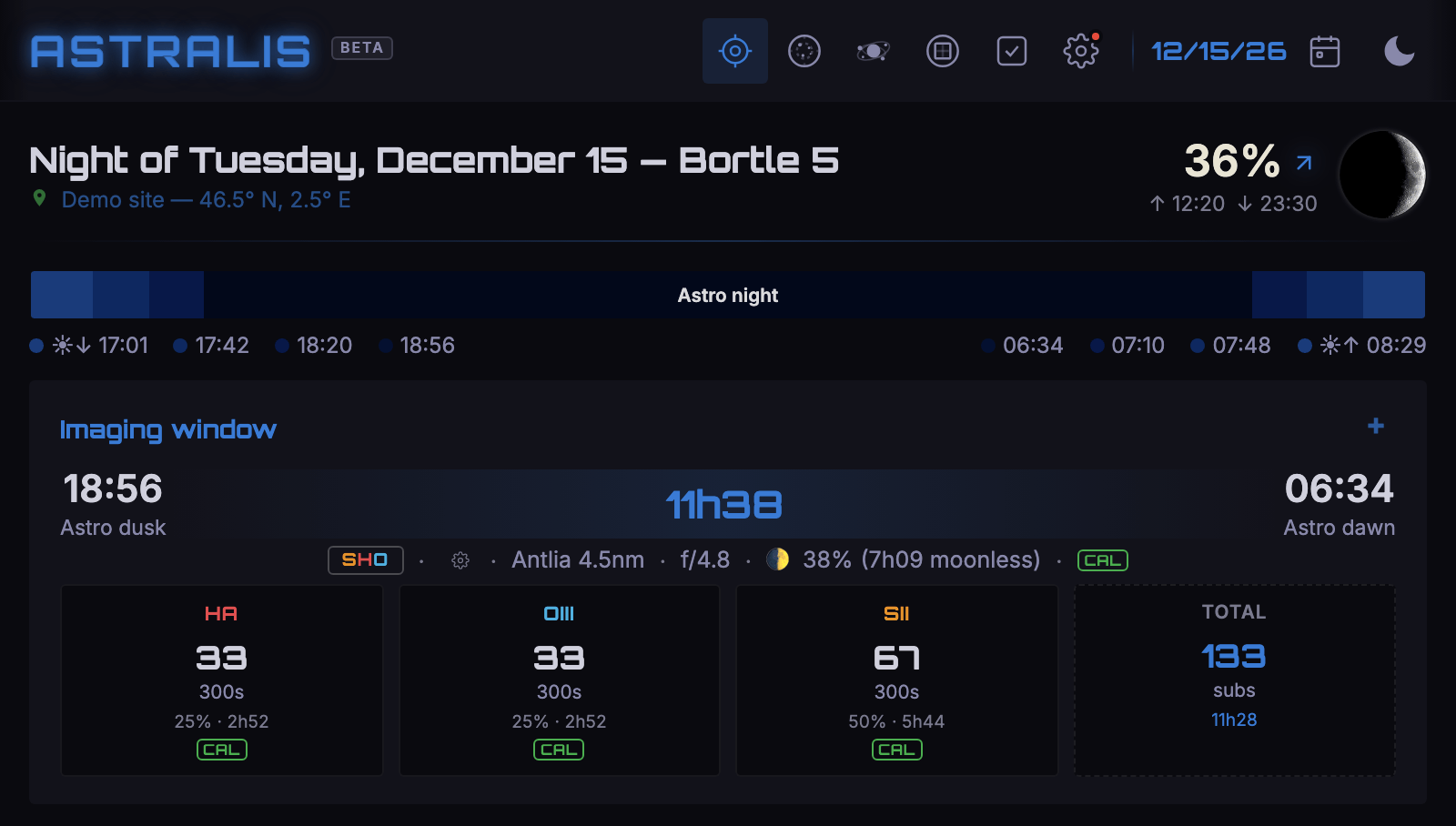
Nine themes, your mood
Choose the look that speaks to you — from Astralis purple to planetary hues.
In your pocket, in the field
Installable like an app (PWA) — built for mobile, works offline.


Request an invitation
Astralis is in beta and free. Leave your email: your invitation code arrives in your inbox.
Got it
Check your inbox in the next few minutes.
Nothing? Check your spam folder, or write to photon@astralis-app.org.